Subscription Management
In Subscription Management, you can check Threedive AI usage status and purchase plans.
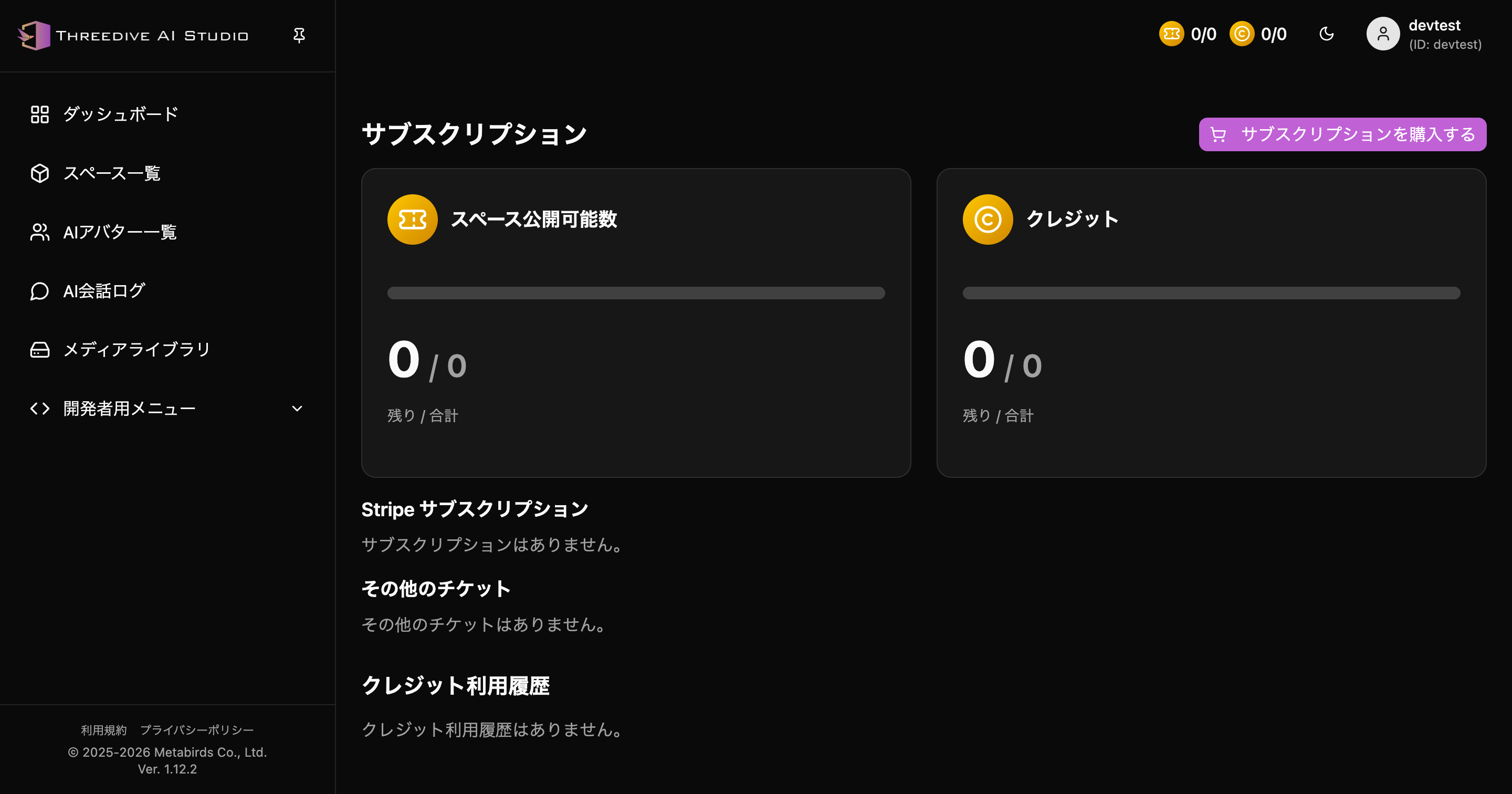 Subscription screen - Check publishable count, credits, purchase options, and usage history
Access Method
- Click ticket/credit display at top right of Threedive AI Studio
- Or open account menu at top right and click "Subscription"
Checkable Items
Space Publishable Count
- Remaining / Total: Number of spaces that can be published
Credits
- Remaining / Total: Number of available credits
Usage Information
- Stripe subscriptions
- Other tickets
- Credit usage history
Main Operations
Purchase Subscription
You can proceed to purchase screen from "Purchase Subscription" button at top of screen.
Subscription Usage History (Added in v1.18.2)
At the bottom of the screen, "Subscription Usage History" lets you search credit and ticket increase/decrease history by specifying a date range. You can also reach the same screen from "Credit Log" in the left menu.
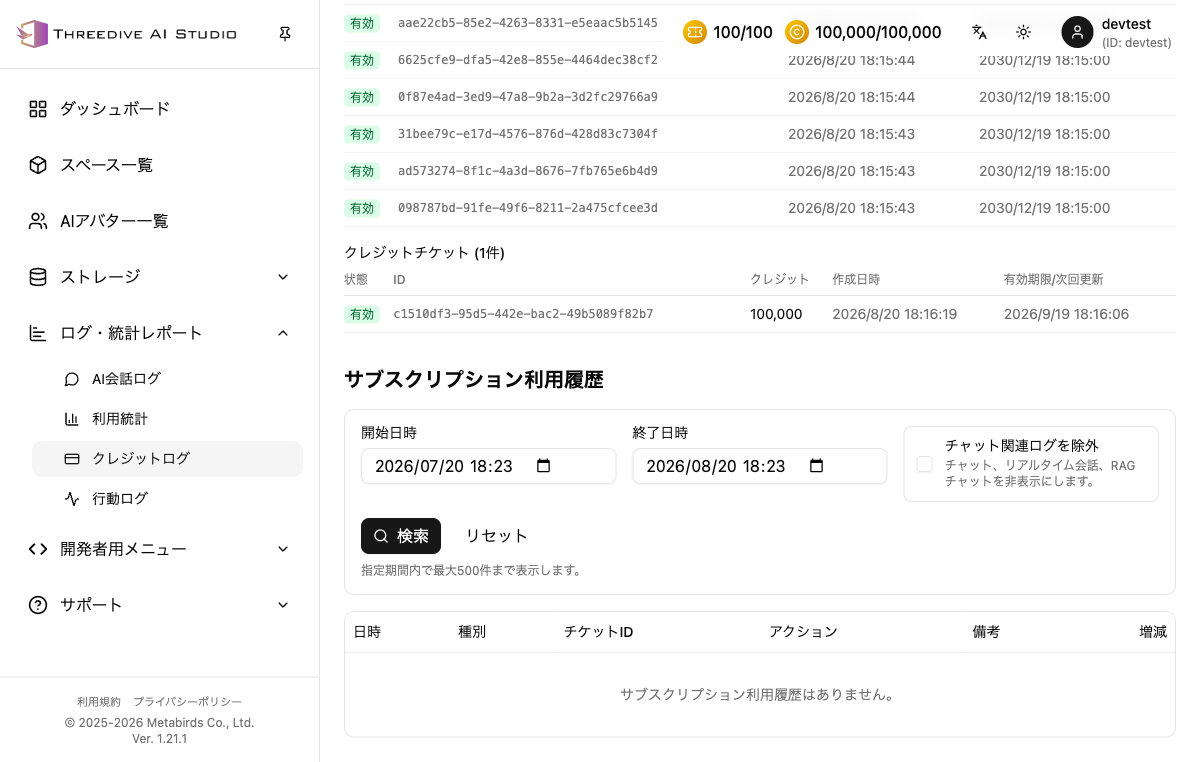 Filter by start/end date-time, with the option to exclude chat-related logs
How to Search
- Specify start date-time and end date-time
- Check "Exclude chat-related logs" if needed (hides chat, realtime conversation, and RAG chat logs)
- Click "Search" (click "Reset" to restore conditions)
info
Up to 500 records are displayed within the specified period. To check more logs, narrow the period further.
Displayed Items
- Date/Time
- Type
- Ticket ID
- Action
- Notes
- Increase/Decrease
Pricing Plans
Please check the official site for latest pricing.
Notes
- Please make final confirmation of plan content and billing cycle on purchase screen
- Screen specifications may change with updates