LLM Provider Settings
- How to navigate the LLM Provider Settings screen
- Required configuration items for each provider type
- Steps to add and update API keys and endpoints
Overview
LLM Provider Settings manages the LLM connection destinations and API keys used in Studio.
In addition to OpenAI, you can also add Gemini, Claude, Amazon Bedrock, Dify, and custom OpenAI-compatible endpoints.
Access Method
- Log in to Threedive AI Studio
- Open the Developer Menu in the left menu
- Select LLM Provider Settings
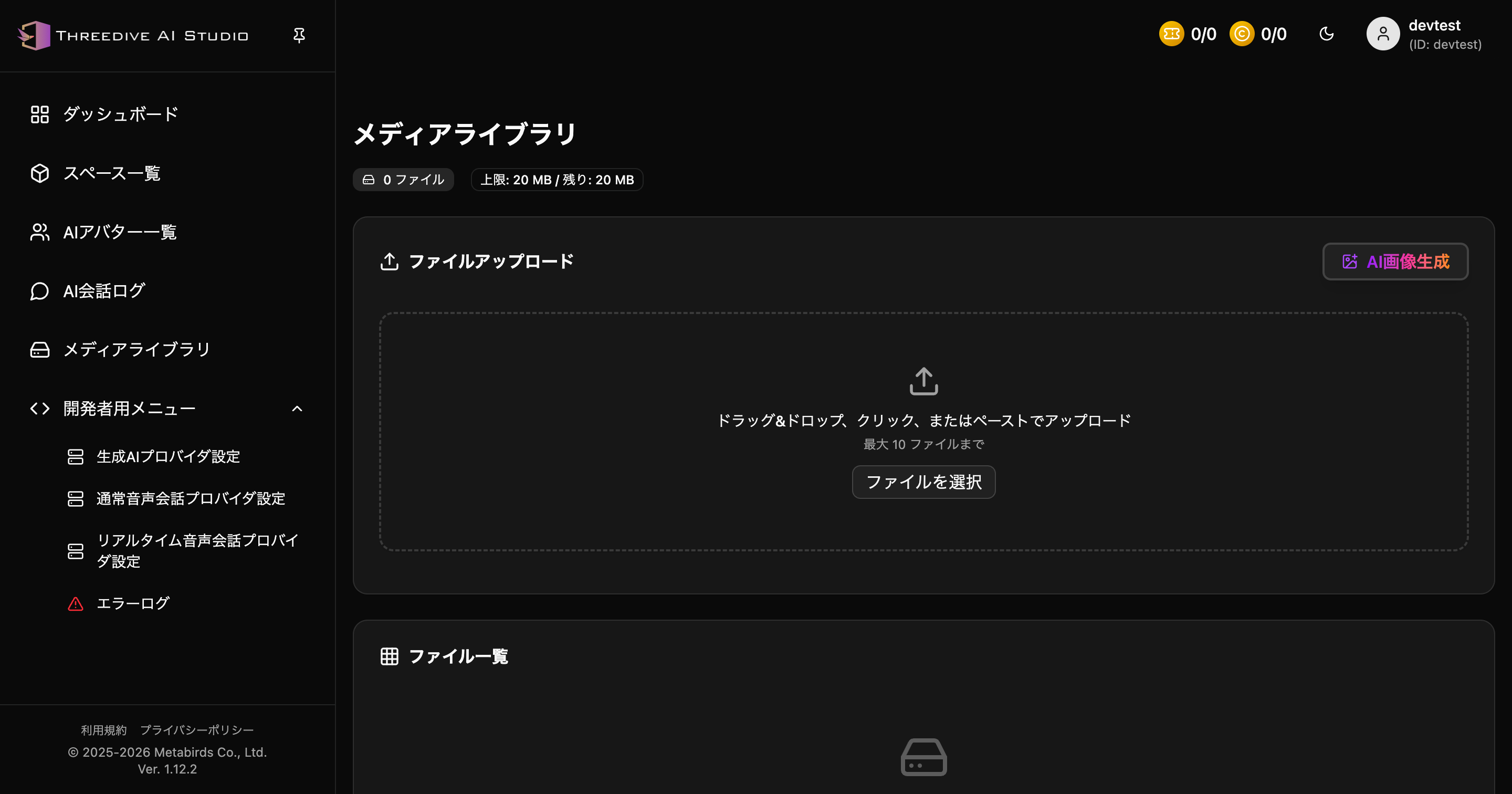 You can access various provider settings from the Developer Menu
Settings Screen
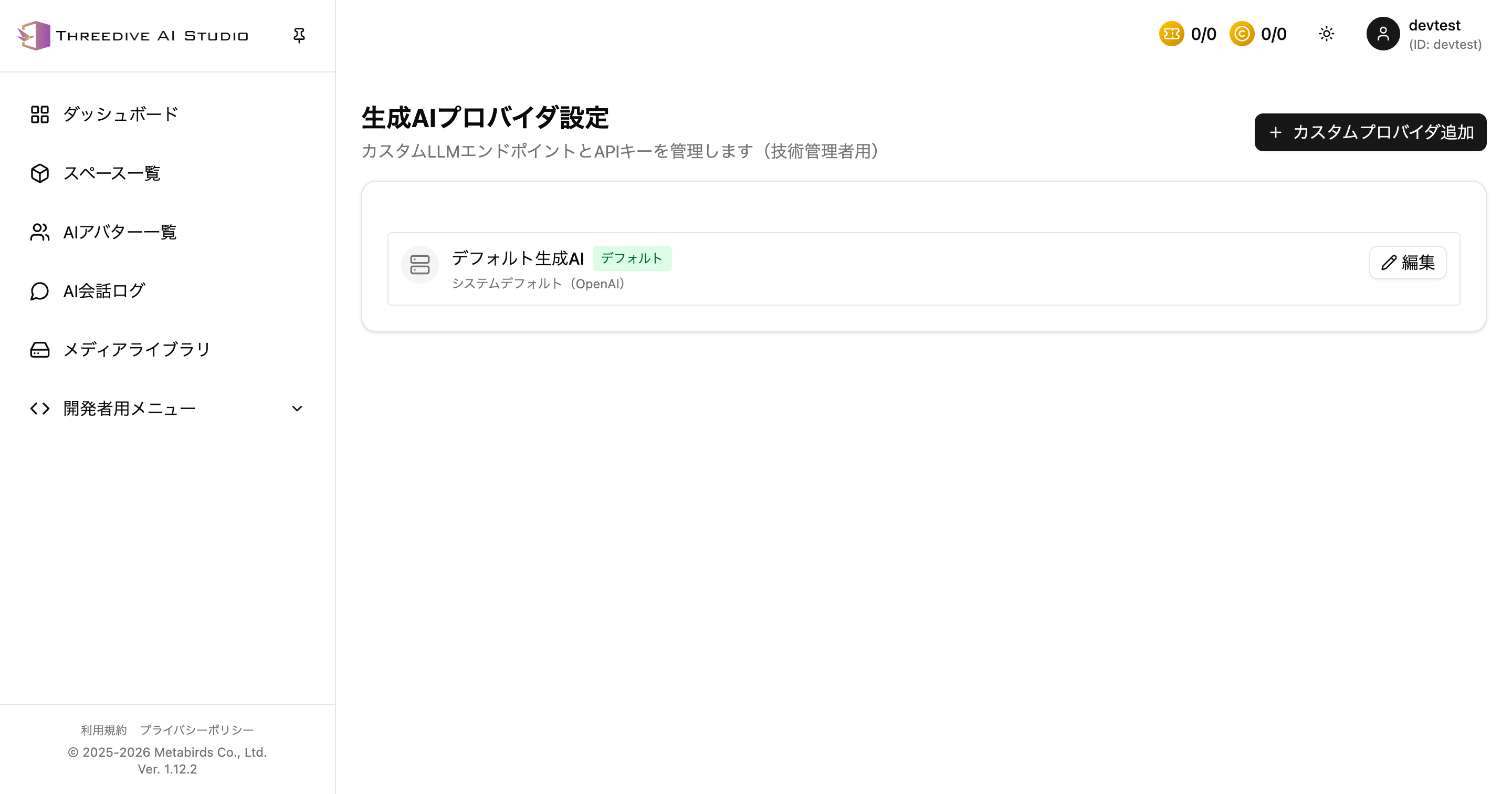 LLM Provider Settings screen as of 2026-04-17
At the top of the screen, you can check the currently registered LLM providers. By default, there is Default LLM with the description System Default (OpenAI).
Adding Custom Providers
Register a new connection destination from Add Custom Provider in the upper right.
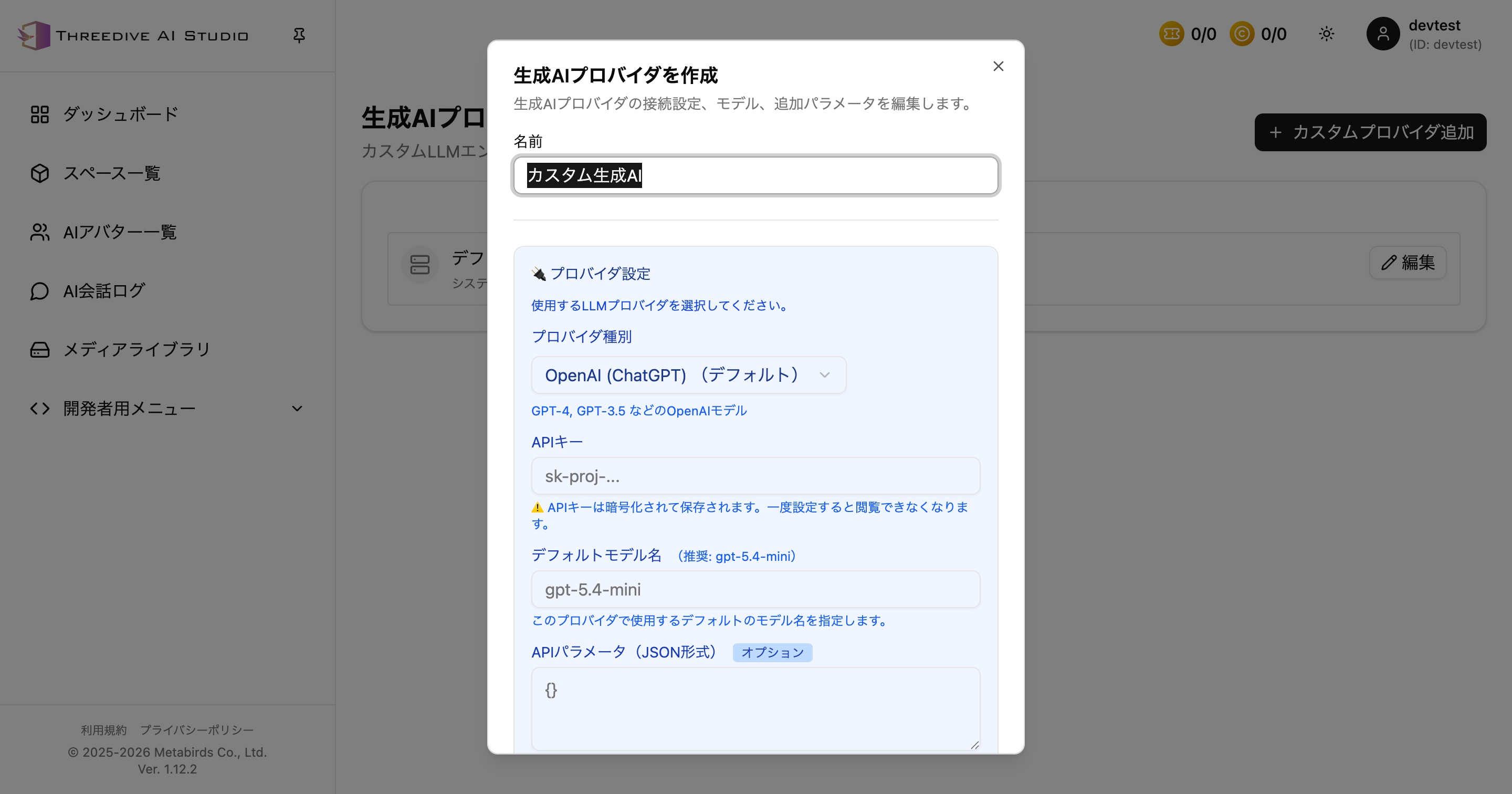 Input fields switch according to provider type
Supported Provider Types as of 2026-04-17
You can choose from the following 7 types:
- OpenAI (ChatGPT) (Default)
- Google Gemini
- Anthropic Claude
- Amazon Bedrock (Converse API)
- Amazon Bedrock (RAG/Knowledge Base)
- Dify
- Custom Endpoint
Configuration Details for Each Provider
1. OpenAI (ChatGPT) (Default)
Standard LLM connection for OpenAI. The recommended model in the dialog is gpt-5.4-mini.
Main Configuration Items
- Name
- API Key
- Default Model Name
- API Parameters (JSON format)
- Provider Common System Prompt
Notes
API Parametersallows additional specifications such astemperature- In the JSON field, you can use the template variable
<%system_prompt%>to inject the system prompt from the AI configuration side
2. Google Gemini
Configuration for using Google Gemini models. The recommended model in the dialog is gemini-2.5-flash.
Main Configuration Items
- Name
- API Key
- Default Model Name
- API Parameters (JSON format)
- Provider Common System Prompt
3. Anthropic Claude
Configuration for using Anthropic Claude models. The recommended model in the dialog is claude-sonnet-4-6.
Main Configuration Items
- Name
- API Key
- Default Model Name
- API Parameters (JSON format)
- Provider Common System Prompt
4. Amazon Bedrock (Converse API)
Configuration for using LLM via Bedrock's Converse API. The recommended model in the dialog is amazon.nova-lite-v1:0.
Main Configuration Items
- Name
- Bedrock Region
- AWS Access Key ID
- AWS Secret Access Key
- Default Model Name
- API Parameters (JSON format)
- Provider Common System Prompt
Notes
- Available regions vary by model
- You can check the AWS region compatibility table for each model via the link in the screen
5. Amazon Bedrock (RAG/Knowledge Base)
For RAG configurations using Bedrock Knowledge Base. The recommended model is amazon.nova-lite-v1:0.
Main Configuration Items
- Name
- Bedrock Region
- Knowledge Base ID
- AWS Access Key ID
- AWS Secret Access Key
- Default Model Name
- API Parameters (JSON format)
- Provider Common System Prompt
Notes
- Knowledge Base ID is required
- Choose this option if you want to create responses with Bedrock search integration
6. Dify
Configuration for connecting Dify apps.
Main Configuration Items
- Name
- Endpoint URL
- API Key
Notes
- Default model name cannot be edited
- Provider common system prompt cannot be edited
- This is because the model and system prompt are managed on the Dify app side
7. Custom Endpoint
For custom endpoints providing OpenAI-compatible APIs.
Main Configuration Items
- Name
- Endpoint URL
- API Key
- Default Model Name
- API Parameters (JSON format)
- Provider Common System Prompt
Notes
- Model name is free input
- Placeholders display examples like
gpt-5.4-mini,claude-sonnet-4-6
Adding Procedure
- Click Add Custom Provider
- Select provider type
- Enter required items
- Click Save
After registration, it will be added to the list, and you can update API keys and model names from Edit.
Operational Notes
- API keys are stored encrypted and cannot be redisplayed on the screen after configuration
- If you enter an incorrect key, re-enter it from the edit screen
- It is recommended not to leave unnecessary provider configurations or unused keys