19 posts tagged with "release"

View all tags

v1.17.12

ยท 2 min read
Threedive AI
Development Team

๐ŸŽ‰ New Features and Enhancementsโ€‹

๐ŸŽ™๏ธ Speech Recognition Language Can Now Be Selected from a Listโ€‹

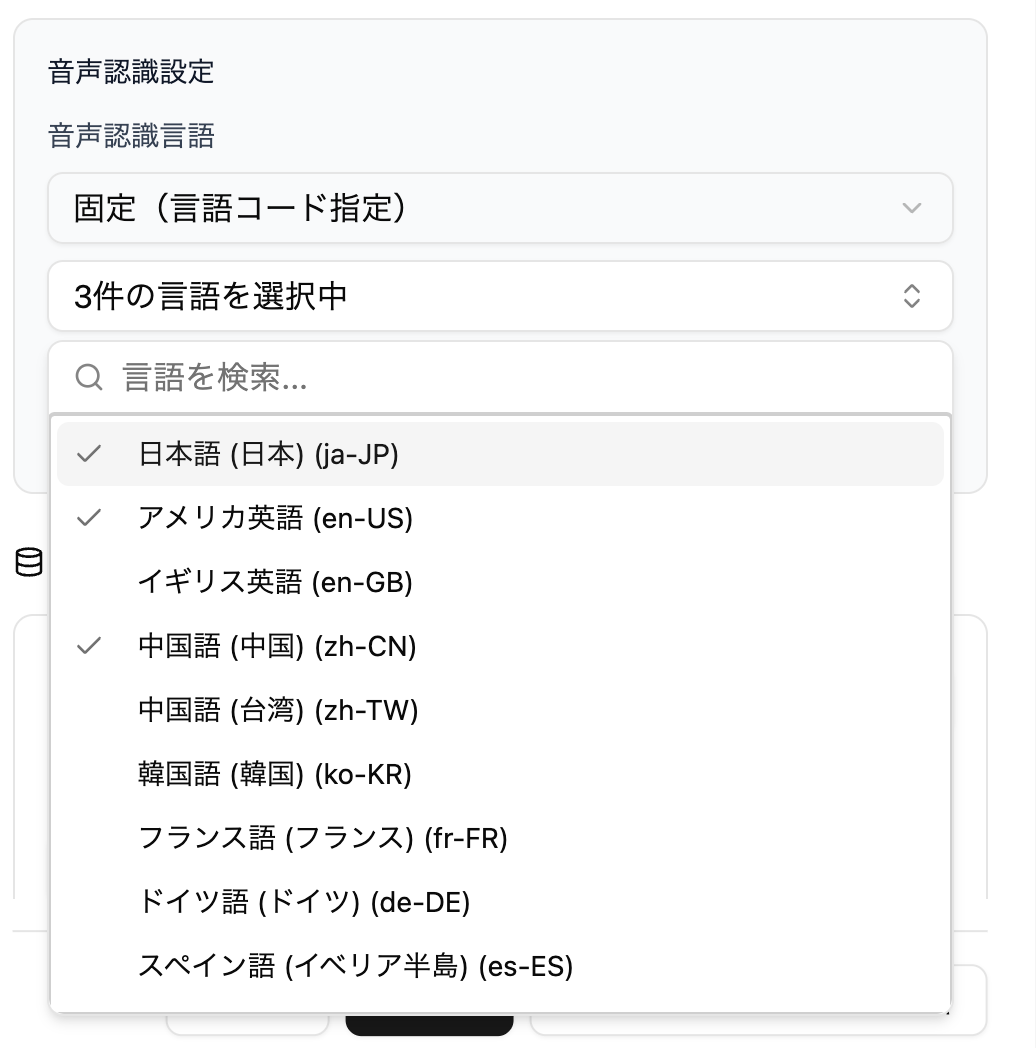
The specification of speech recognition language, which previously required direct input of language codes, can now be selected from a searchable list. You can also select multiple languages.

How to Useโ€‹

You can select the speech recognition language from "Speech Recognition Settings" in the AI Avatar settings screen.
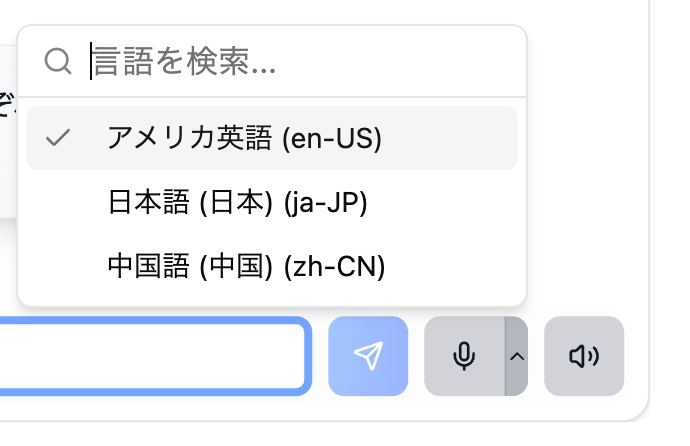
Also, if you select multiple languages, you can switch the speech recognition language from the toolbar menu during normal voice conversation.
note

Recognizable languages differ depending on your usage environment (browser/OS), so selected languages may not work in all environments.

๐Ÿ—จ๏ธ Reviewed User-Side Transcription Display in Realtime Voiceโ€‹

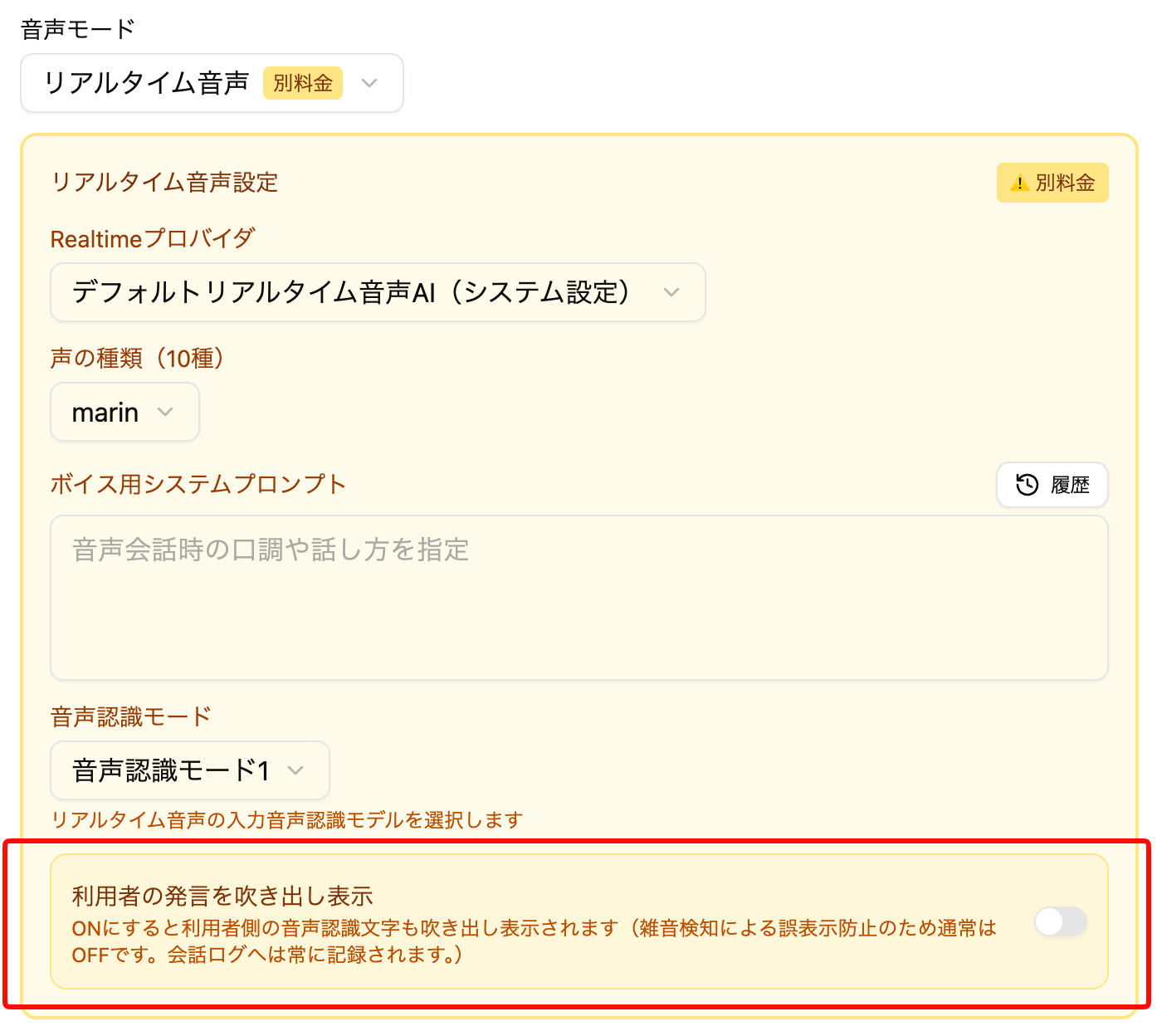
In realtime voice conversations, user (your own) speech transcription bubbles are now hidden by default. This is a measure against the problem of text different from actual speech being displayed due to misrecognition or noise.

AI Avatar speech transcriptions will continue to be displayed as before.

How to Useโ€‹

You can toggle the user-side transcription display ON/OFF from the Realtime settings in the AI Avatar settings screen.
note

Already created AI Avatars will continue to display user-side transcriptions as before. For newly created AI Avatars, they will be hidden by default.

๐Ÿ”ง Other Adjustmentsโ€‹

  • Made adjustments to AI Avatar thinking logic
v1.17.11

ยท One min read
Threedive AI
Development Team

๐ŸŽ‰ New Featuresโ€‹

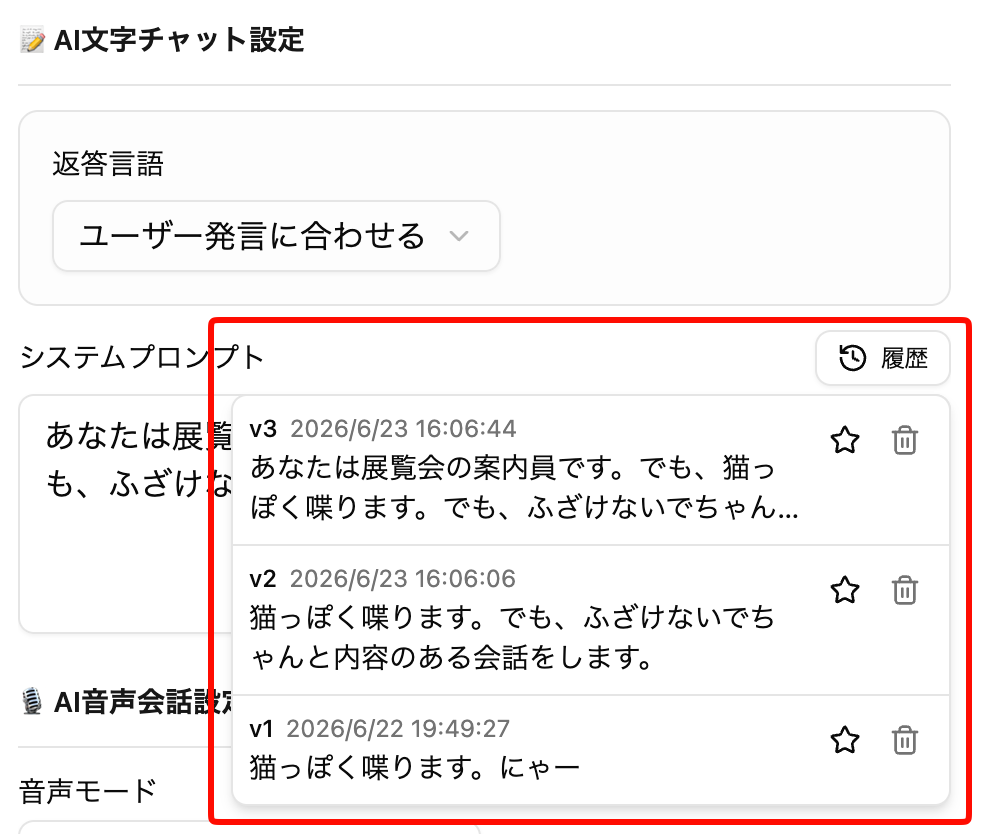
๐Ÿ“ Prompt History Featureโ€‹

History is now kept each time you change and save AI Avatar prompts.

You can easily roll back to past prompts from the list, so please use this when adjusting prompt content, etc.

How to Useโ€‹

You can call it from the "History" button in the upper right of each prompt in the AI Avatar settings screen.

Clicking a history item will reflect it in the current prompt (it will not be saved).

  • History is saved for up to 25 items, and when full, old ones are automatically deleted
  • If you favorite with the โญ button, it will not be automatically deleted
  • You can also manually delete from the ๐Ÿ—‘ button

๐Ÿ”ง Feature Enhancements and Bug Fixesโ€‹

  • .rad files can now be selected when creating from New Creation > Create from 3D Splat
  • .rad files can now be previewed in the Media Library
  • Sped up loading and display of .rad files

v1.17.10

ยท One min read
Threedive AI
Development Team

๐ŸŽ‰ New Featuresโ€‹

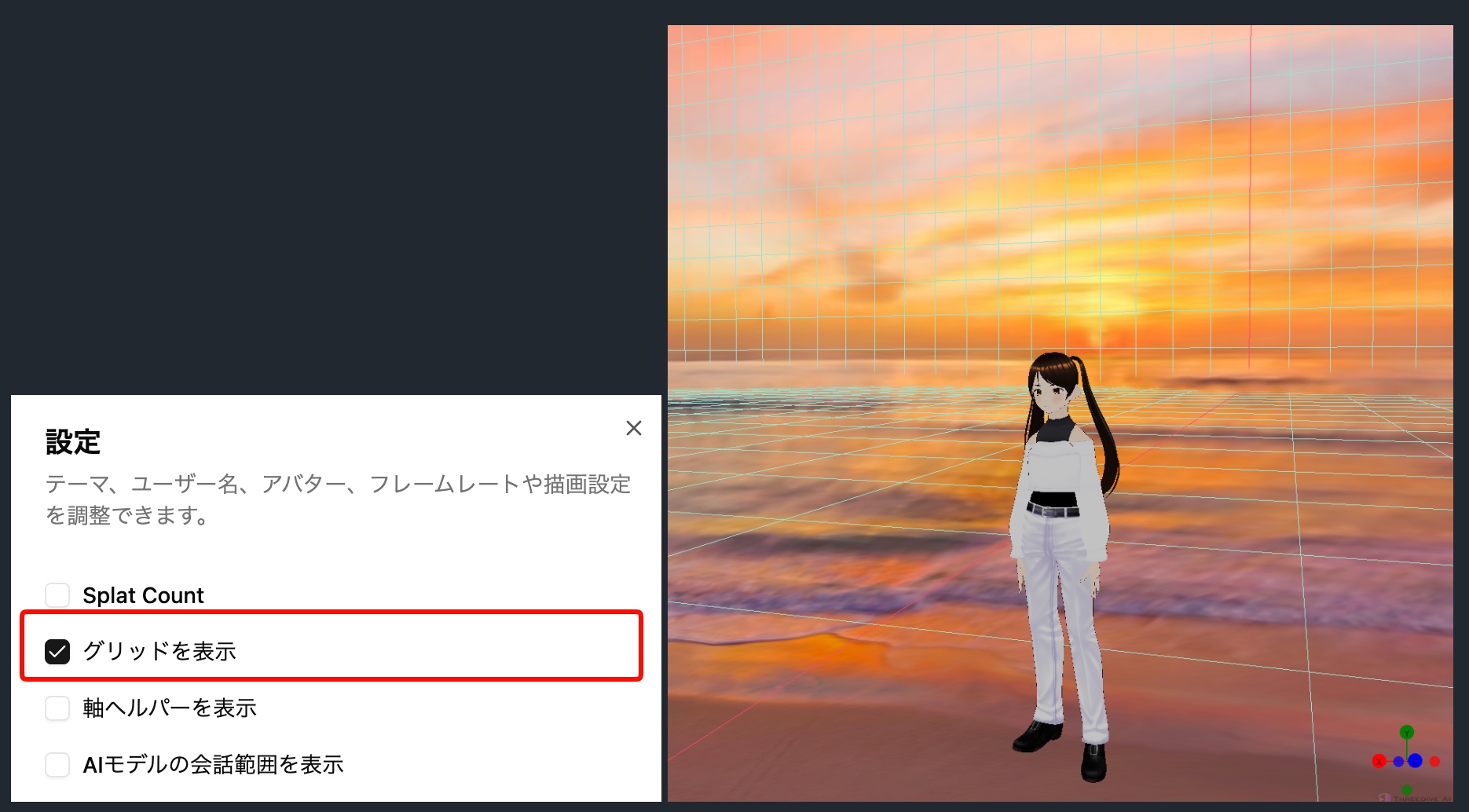
Movement Range Restriction Display Feature Added (When Grid Display is Enabled)โ€‹

The range set in "Movement Range Restriction" in Scene Settings can now be visually confirmed as a grid in 3D space.

You can switch it with the "Show Grid" option in 3D screen > Settings dialog โš™๏ธ.

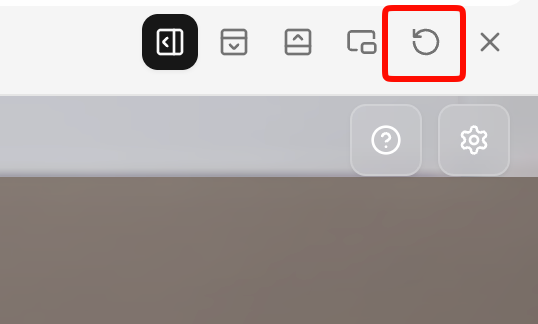
Reload Feature Added to Previewโ€‹

Added a button to reload only the preview to the toolbar at the top of the preview screen.

You can quickly refresh the preview without reloading the entire page.

๐Ÿ”ง Bug Fixesโ€‹

  • Fixed an issue where the camera could clip into your own avatar during conversation with AI Avatars
  • Fixed an issue where automatic movement from conversation with one AI Avatar to another AI Avatar might not reach the intended position
  • Fixed an issue where the virtual stick could block the top buttons during mobile use
  • Fixed an issue where the profile dialog would not scroll vertically
  • Fixed an issue where the other party's VRM avatar would not display correctly when invited
  • Fixed an issue where media display could occur based on incomplete URLs during realtime chat

v1.17.6

ยท One min read
Threedive AI
Development Team

๐ŸŽ‰ New Featuresโ€‹

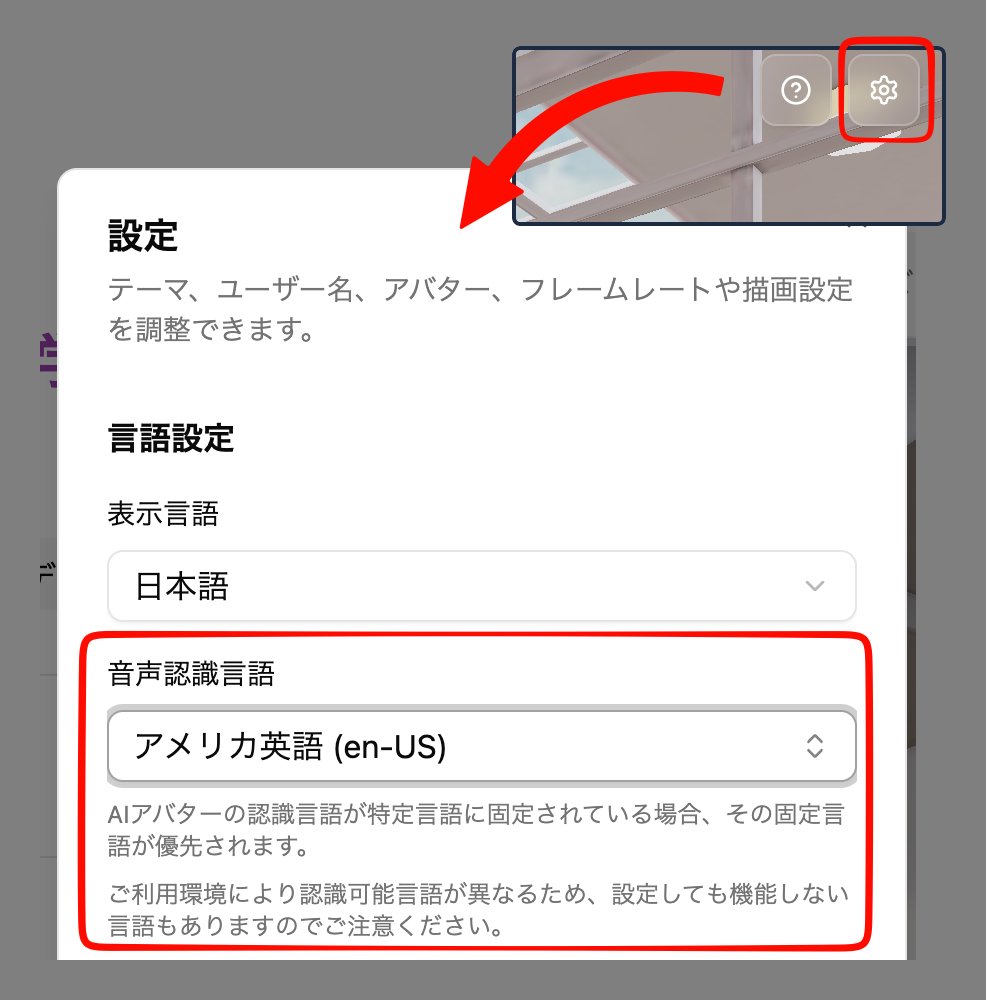
"Speech Recognition Language" Setting Addedโ€‹

Until now, the recognition language when performing voice input in Threedive AI was automatically determined by your browser's language settings (*unless explicitly specified in the AI Avatar). Therefore, when the language you actually speak and the browser language are different, speech might not be recognized properly.

With this update, Space users can now select and set their own spoken language. The configured content is saved and will continue to be used in the future.

You can configure it with the following operations.

  1. Open the settings dialog from the gear โš™ icon in the upper right corner of the 3D screen
  2. Select the language to use in "Speech Recognition Language"

Please note the following points when configuring:

  • If the AI Avatar's recognition language is fixed to a specific language, that fixed language takes priority.
  • Please note that recognizable languages differ depending on your usage environment, so some languages may not function even if configured.

v1.17.3

ยท One min read
Threedive AI
Development Team

๐Ÿ”ง Adjustmentsโ€‹

  • Reviewed the order and hierarchy of the left-side menu
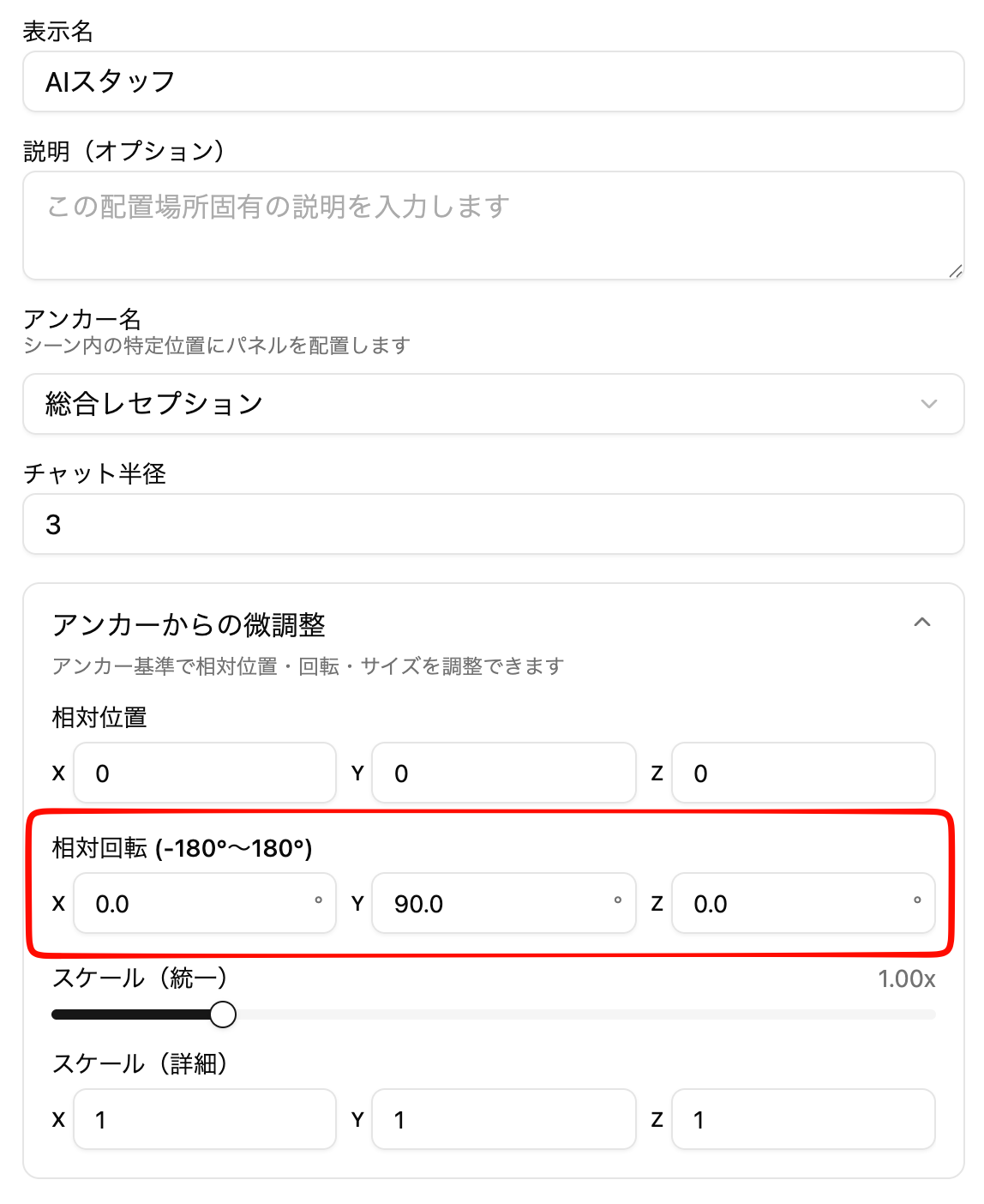
  • Added rotation information fine-tuning feature
    • When placing AI Avatars/3D models/2D panels at anchor positions, you can now also change rotation information
    • Use this when you need to adjust the orientation of AI Avatars, etc. Basically, you do not need to change values other than Y Rotation

๐Ÿ› Bug Fixesโ€‹

  • Fixed an issue where Spaces might not be displayed in the Space list when there are more than 100 created Spaces

v1.17.2

ยท 2 min read
Threedive AI
Development Team

๐ŸŽ‰ New Featuresโ€‹

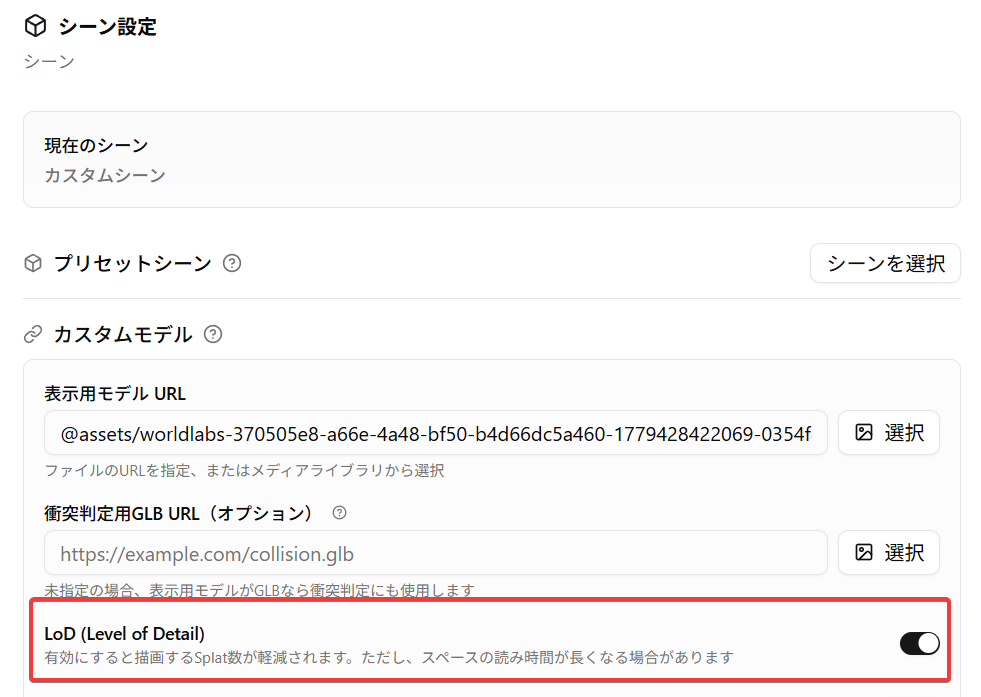
3DGS File LoD Support (Lighter Rendering)โ€‹

When configuring 3D Gaussian Splatting (3DGS) files in Threedive AI Studio, you can now use the LoD (Level of Detail) option.

When this option is enabled, the following behavior occurs.

  • Rendering processing may become lighter
    • Splats (elliptical plates) closer to the camera position will be displayed in more detail, while distant ones will be omitted. Especially for large 3DGS files, a reduction in processing load can be expected
  • Loading time may become longer
    • Pre-calculation is performed after loading 3DGS files (excluding .rad files), so especially for large 3DGS files, loading time may be longer than usual

3DGS File Streaming Support (Faster Display Time for Spaces)โ€‹

We now support loading the .rad format as a 3DGS file.

If you convert existing 3DGS files to this format in advance, "streaming" of 3DGS becomes possible. When streaming is enabled, similar to streaming video playback like YouTube, files are gradually read while displaying, so display start becomes faster.

For more information about rad files, please see the following page

https://sparkjs.dev/docs/lod-getting-started/

Reference video: Loading time comparison

๐Ÿ”ง Adjustments and Bug Fixesโ€‹

  • Fixed an issue where AI reports being created would disappear when the page was reloaded (the report creation itself was still completed)
  • Fixed an issue where some text was not displayed correctly
  • Fixed an issue where 3D models created from AI Avatar placement in Space editing would not be saved correctly in some cases

v1.17.0

ยท 2 min read
Threedive AI
Development Team

(English below)

๐ŸŽ‰ New Featuresโ€‹

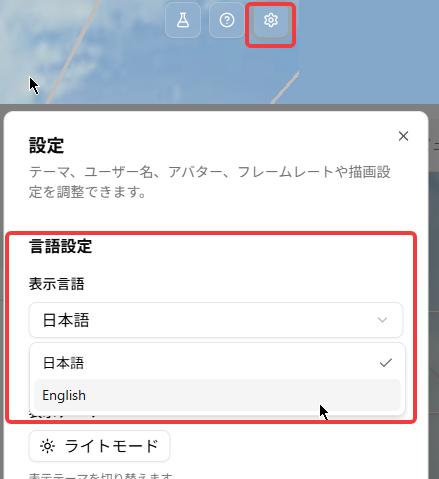
English Display Now Supportedโ€‹

You can change the language using the following operations.

Threedive AI Studioโ€‹

Click the "ๆ–‡A" icon in the upper right corner of Threedive AI Studio to switch languages.

Threedive AIโ€‹

  1. Open the settings dialog from the gear โš™ icon in the upper right corner of the 3D screen.
  2. Switch under Language Settings.

๐Ÿ”ง Adjustments and Bug Fixesโ€‹

  • Fixed an issue where the layout of the "Usage Statistics" feature could appear broken.

๐ŸŽ‰ New Featuresโ€‹

English language support addedโ€‹

You can switch the language using the steps below.

Threedive AI Studioโ€‹

Click the "ๆ–‡A" icon in the upper right corner of Threedive AI Studio to switch languages.

Threedive AIโ€‹

  1. Open the settings dialog from the gear โš™ icon in the upper right corner of the 3D view.
  2. Switch the language under Language Settings.

๐Ÿ”ง Fixes & Adjustmentsโ€‹

  • Fixed an issue where the layout of the "Usage Statistics" feature could appear broken.

v1.16.0

ยท One min read
Threedive AI
Development Team

๐ŸŽ‰ New Featuresโ€‹

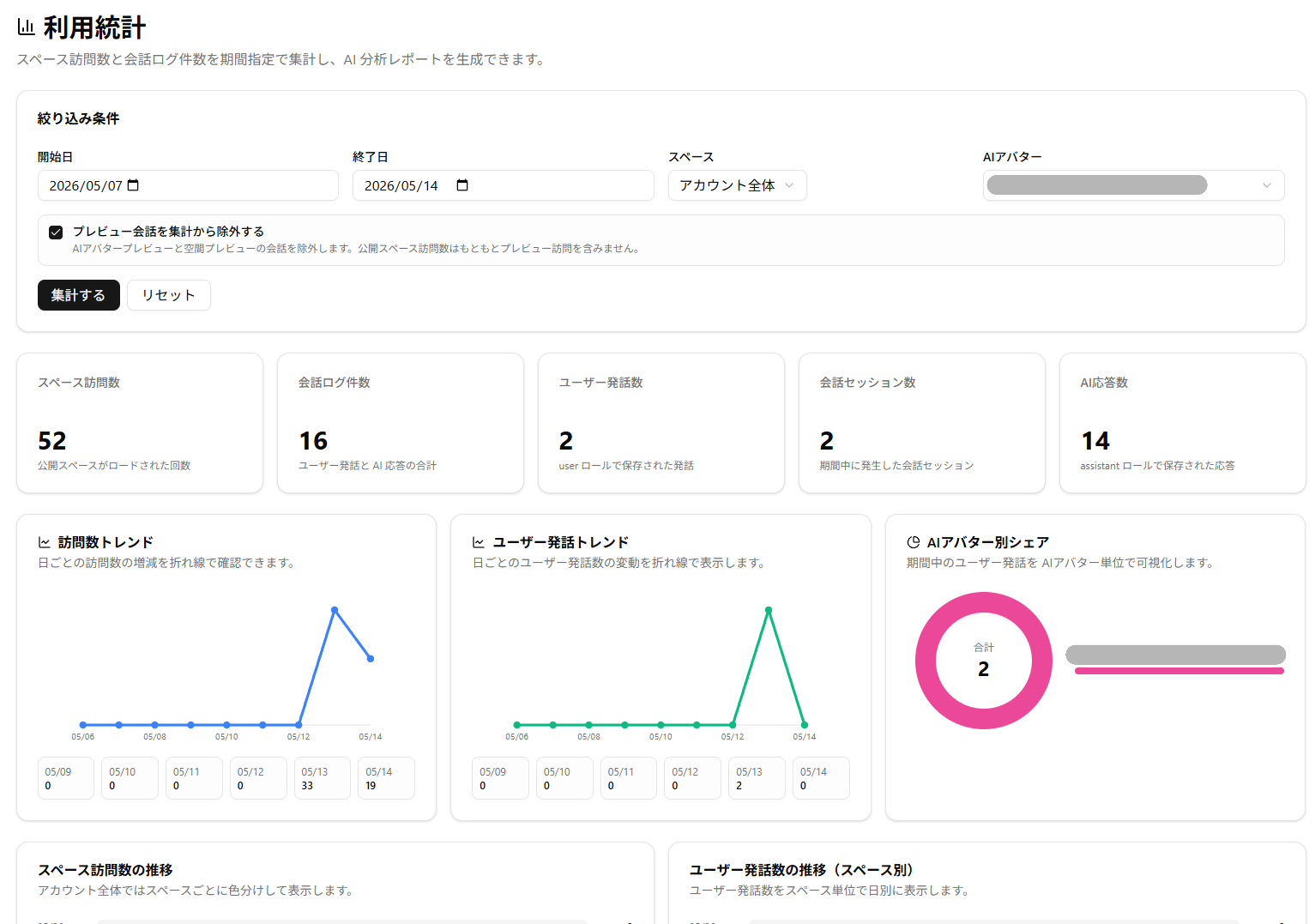
Usage Statistics Feature Addedโ€‹

  • You can now check Space and AI Avatar usage in Threedive AI Studio
  • Using the AI Analysis Report Creation feature, you can analyze visit counts and conversation logs for a specified period with generative AI and create a report (credits required)

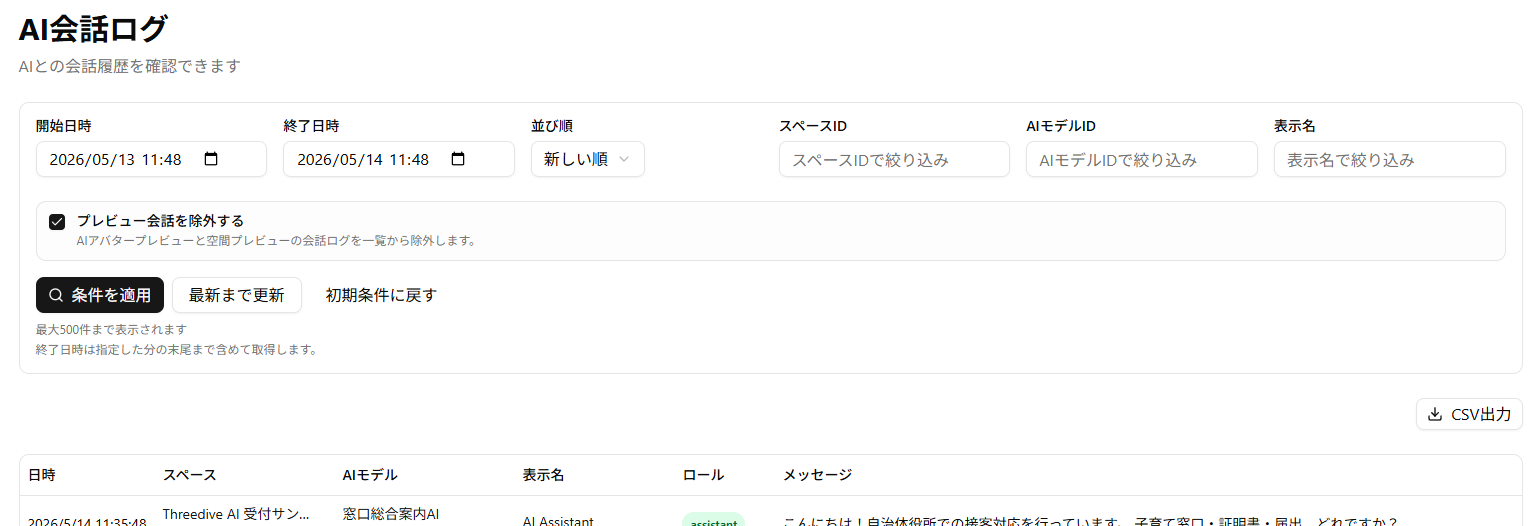
AI Conversation Log Feature Enhancementโ€‹

  • Enhanced filtering conditions
  • Added "Display Name" column
    • Contains the display name that users set in the Space screen settings dialog
    • Please note that logs saved before this update contain the Threedive AI Studio username instead of the display name
  • Added CSV export

AI Avatarโ€‹

  • Upgraded the internal model for Realtime TTS. You can now enjoy higher quality voice conversations

๐Ÿ”ง Adjustments and Bug Fixesโ€‹

  • Fixed an issue where AI conversation logs would only display up to 100 entries
  • Reduced the rendering load of 3DGS scenes
  • Added "Rendering Settings" > "Enable Anti-aliasing" to the Space screen settings dialog
    • Default is off
    • Enabling anti-aliasing will make the display look cleaner, but may increase the load when rendering 3DGS (Splat)

v1.15.0

ยท 2 min read
Threedive AI
Development Team

๐ŸŽ‰ New Featuresโ€‹

RAG/Knowledge Base Featureโ€‹

The RAG feature is now available for AI Avatars.

Simply upload Word or PDF format documents, and the AI Avatar will respond based on that content.

How to Useโ€‹

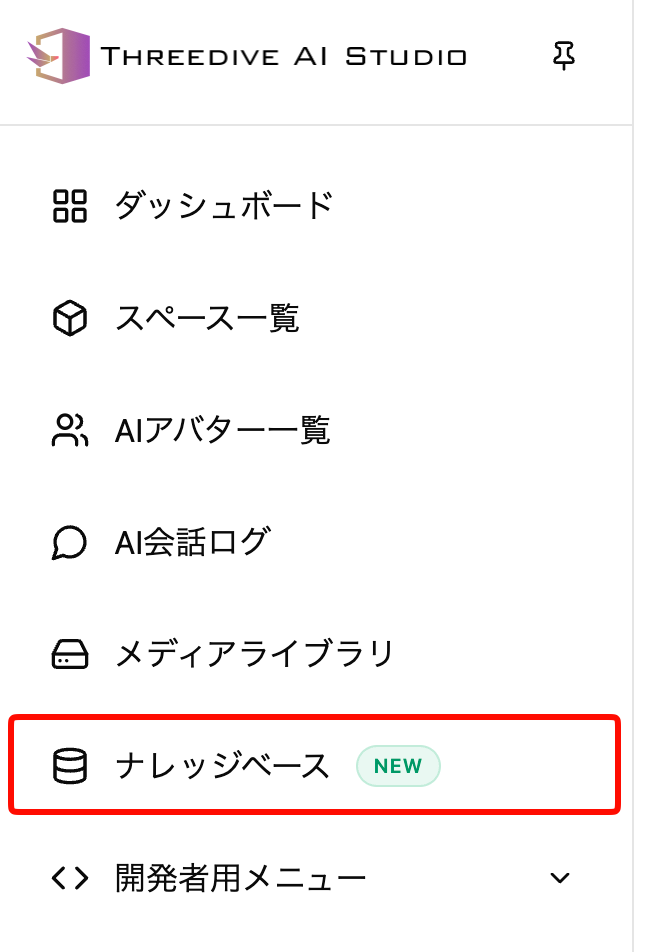
Select "Knowledge Base" from the right-side menu in Threedive AI Studio.

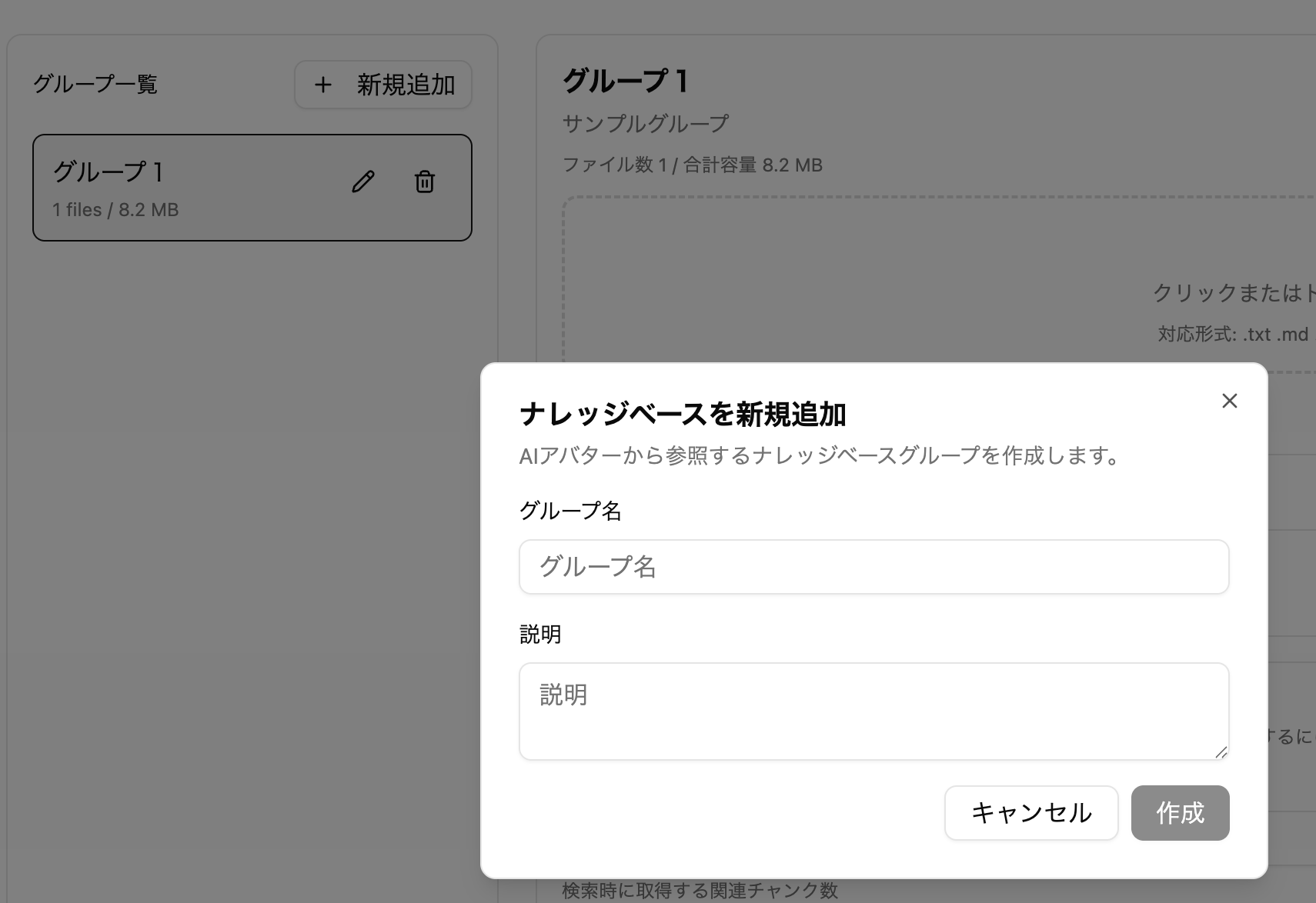
Create a group from New Creation.

Upload document files. Uploading documents requires 200 credits.

Wait a while after uploading until it becomes available.

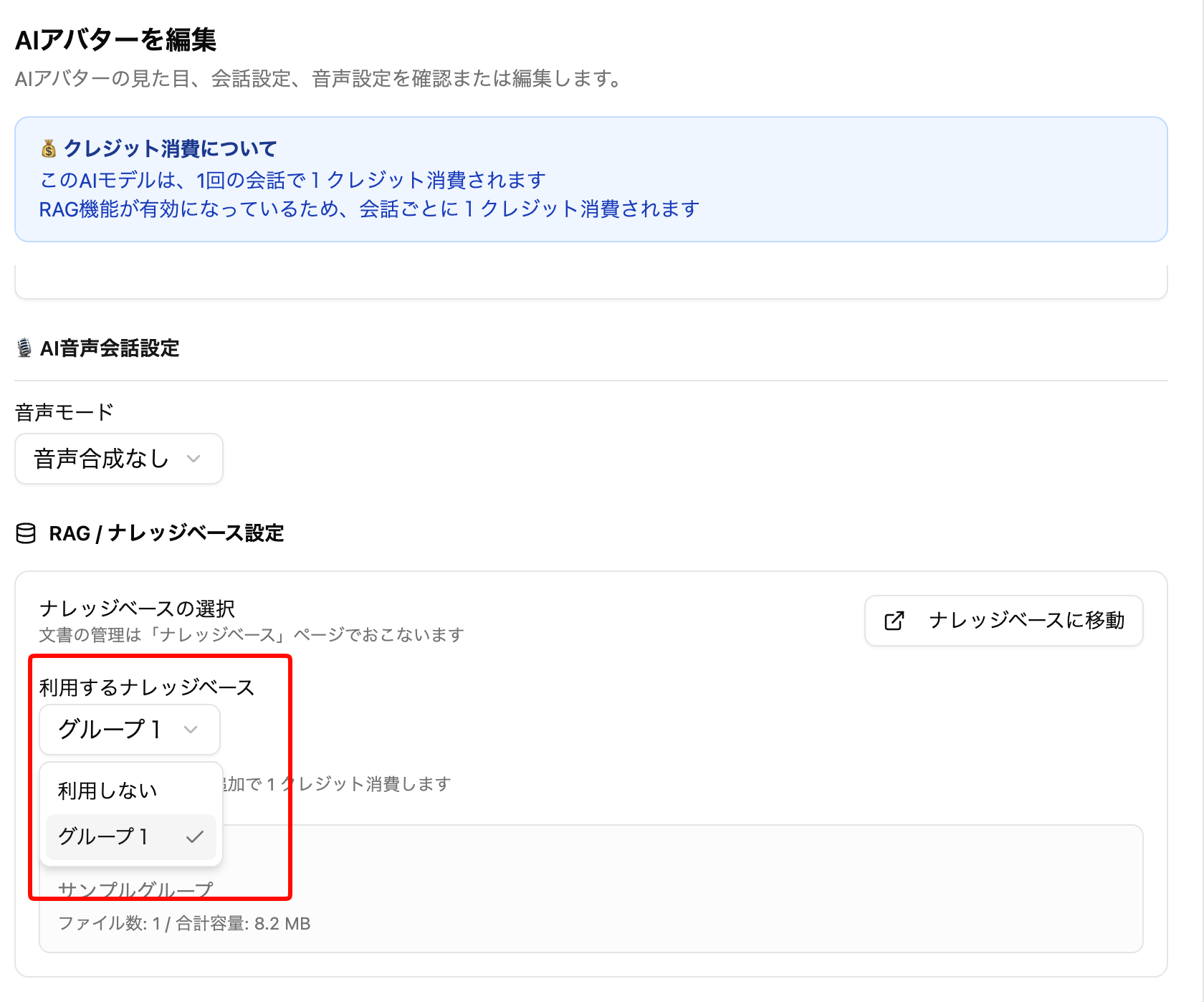
Navigate to the AI Avatar edit screen and select the group you just created in "Knowledge Base to use".

Save and you're ready. The AI will now respond based on the uploaded documents.

Language Specification for AI Chat Outputโ€‹

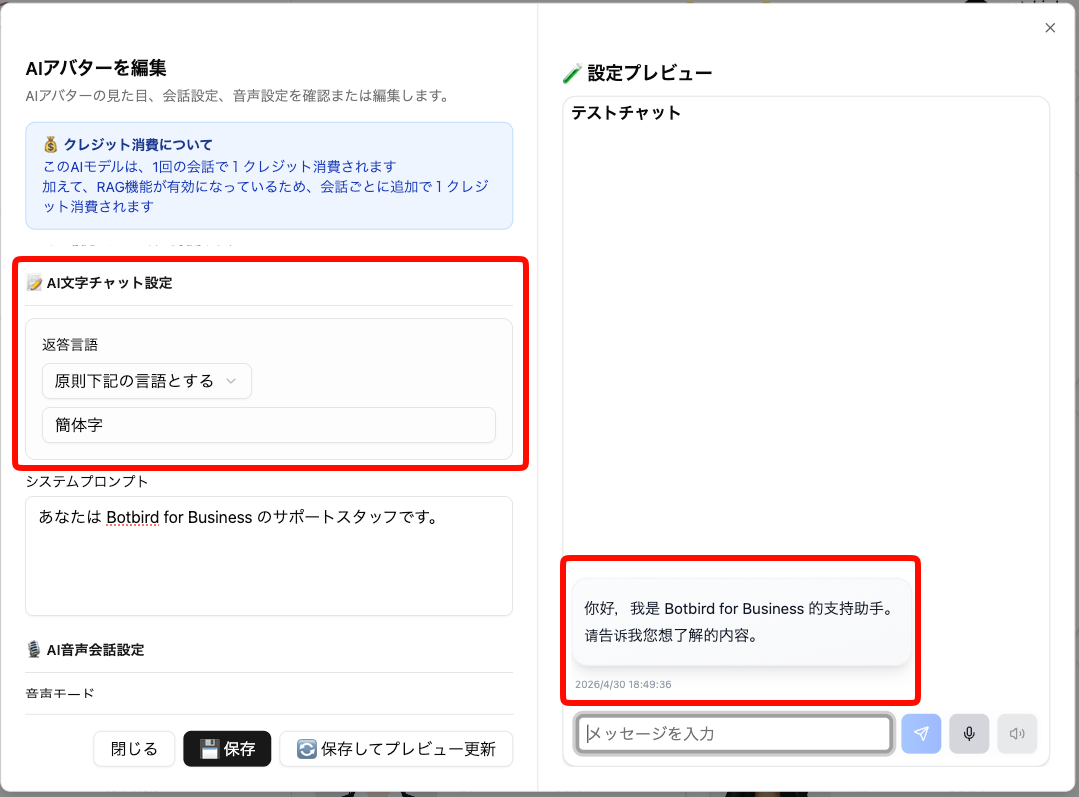
Set Edit AI Avatar > AI Text Chat Settings > Response Language to In principle use the language below. You can specify with words like "Traditional Chinese", "English", etc.

When set, the chat AI will attempt to respond in that language as much as possible.

Language Specification for AI Chat Voice Inputโ€‹

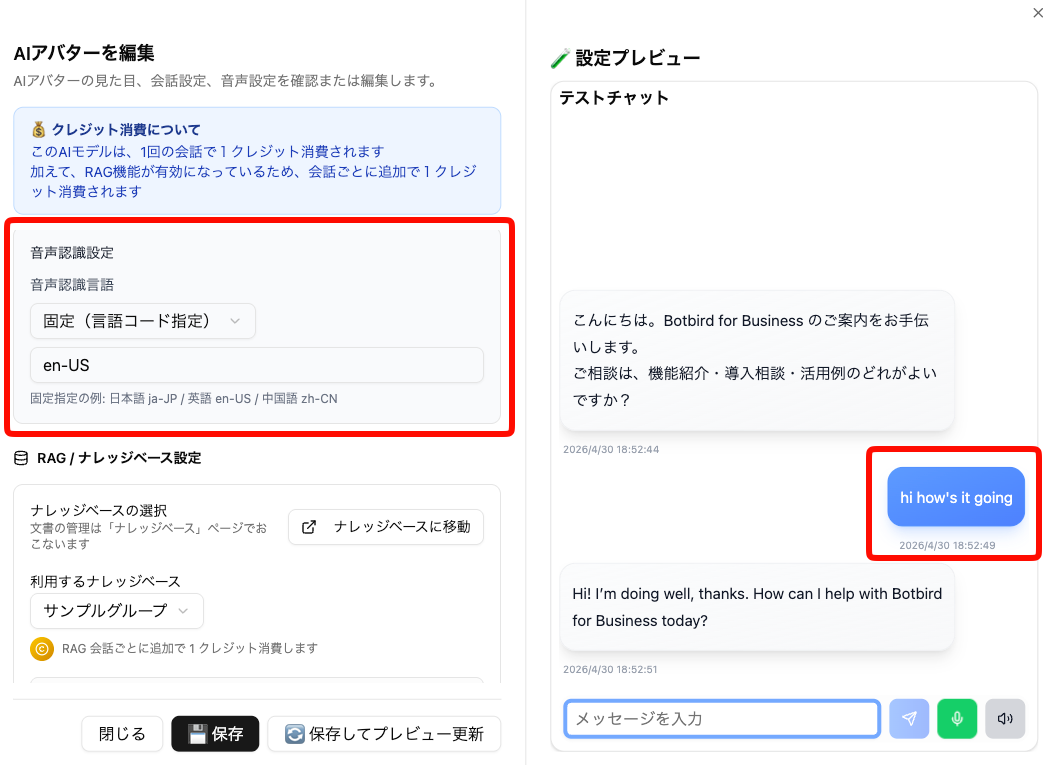
Set Edit AI Avatar > Speech Recognition Settings > Speech Recognition Language to Fixed (character code specification). You can specify in the format language code-country code, such as ja-JP, en-US, zh-CN, etc.

When set, voice recognition processing will be performed based on the specified language.

๐Ÿ”ง Adjustments and Bug Fixesโ€‹

  • When uploading images in "Automatic Space Generation by Generative AI", you can now set whether the image is a "panorama image"
    • Please use only for 360-degree panorama images (Equirectangular format) with a 1:2 aspect ratio horizontal image
  • Characters no longer run when moving with the left stick during touch operations on smartphones, etc.
  • Fixed an issue where uploading images over 6MB in "Automatic Space Creation by Generative AI (BETA)" would fail

v1.14.0

ยท 2 min read
Threedive AI
Development Team

๐ŸŽ‰ New Featuresโ€‹

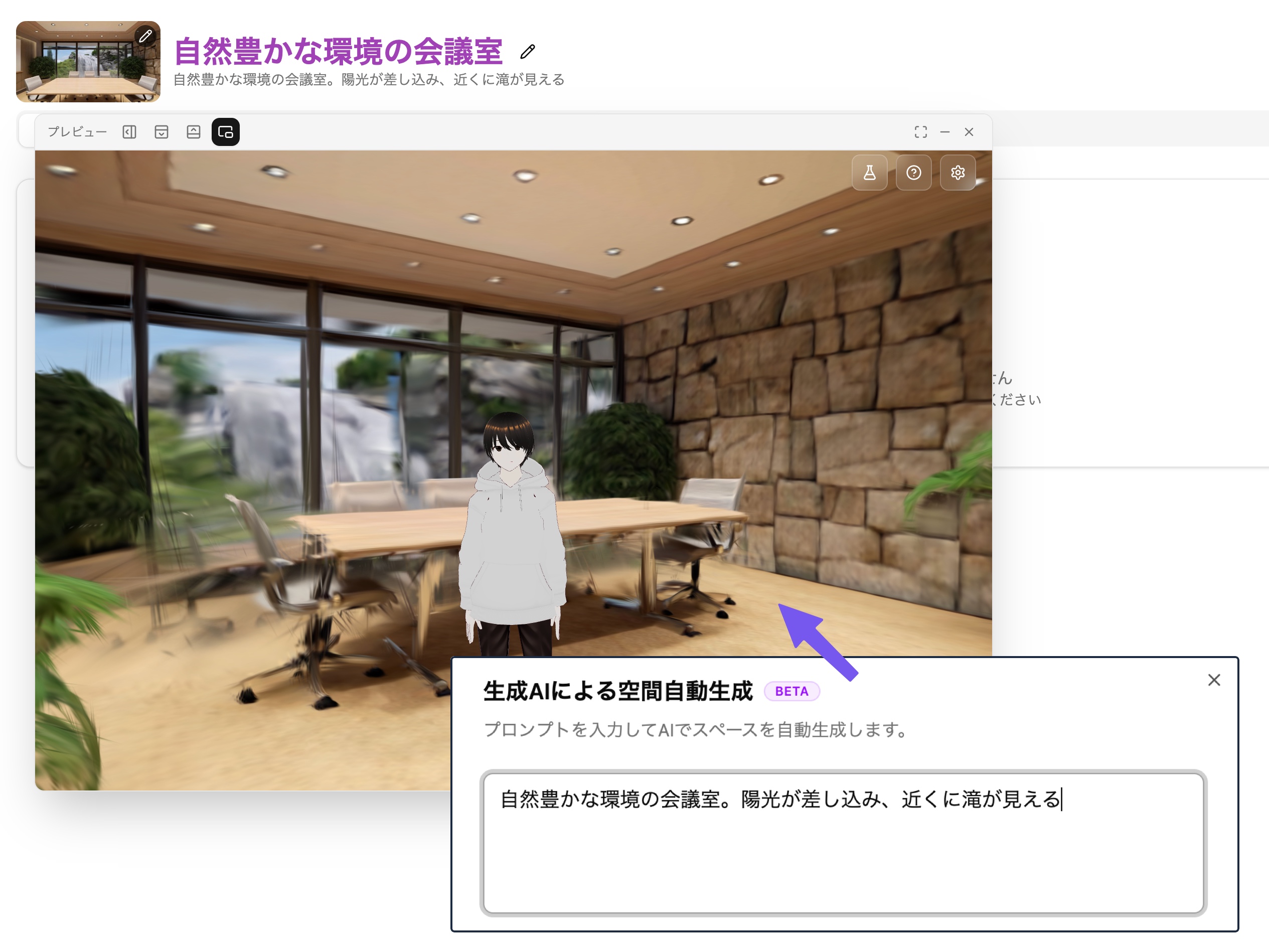
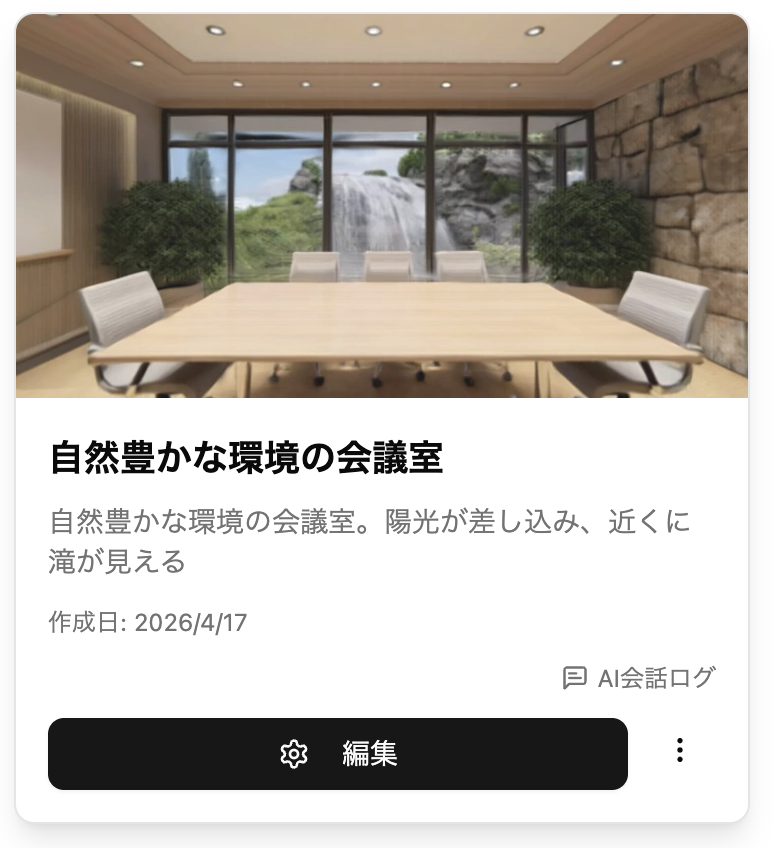
โœจ Automatic Space Creation by Generative AI (BETA)โ€‹

The "Automatic Space Creation by Generative AI (BETA)" feature is now available when creating new Spaces!

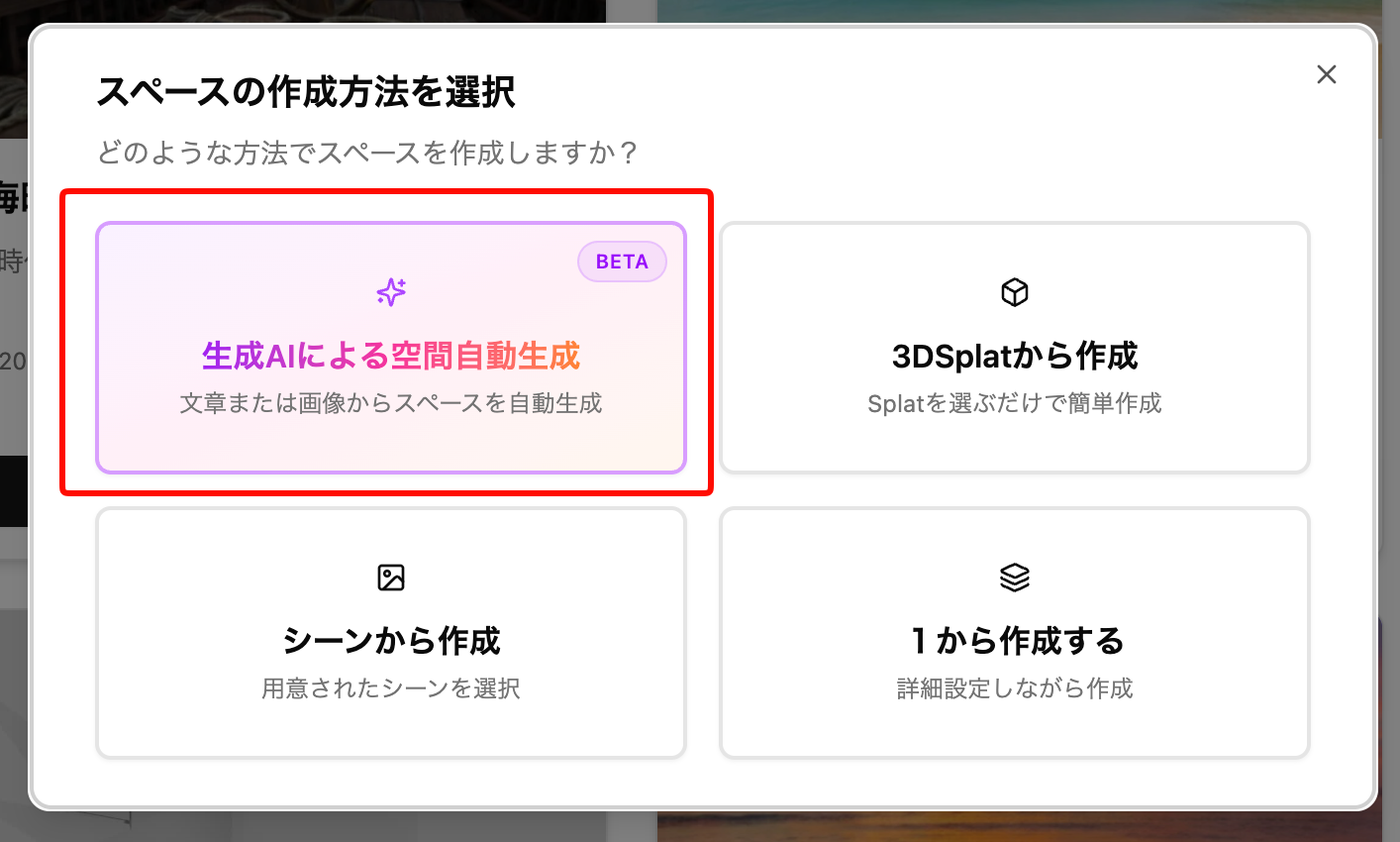
When you press the create new Space button, the following options will be displayed.

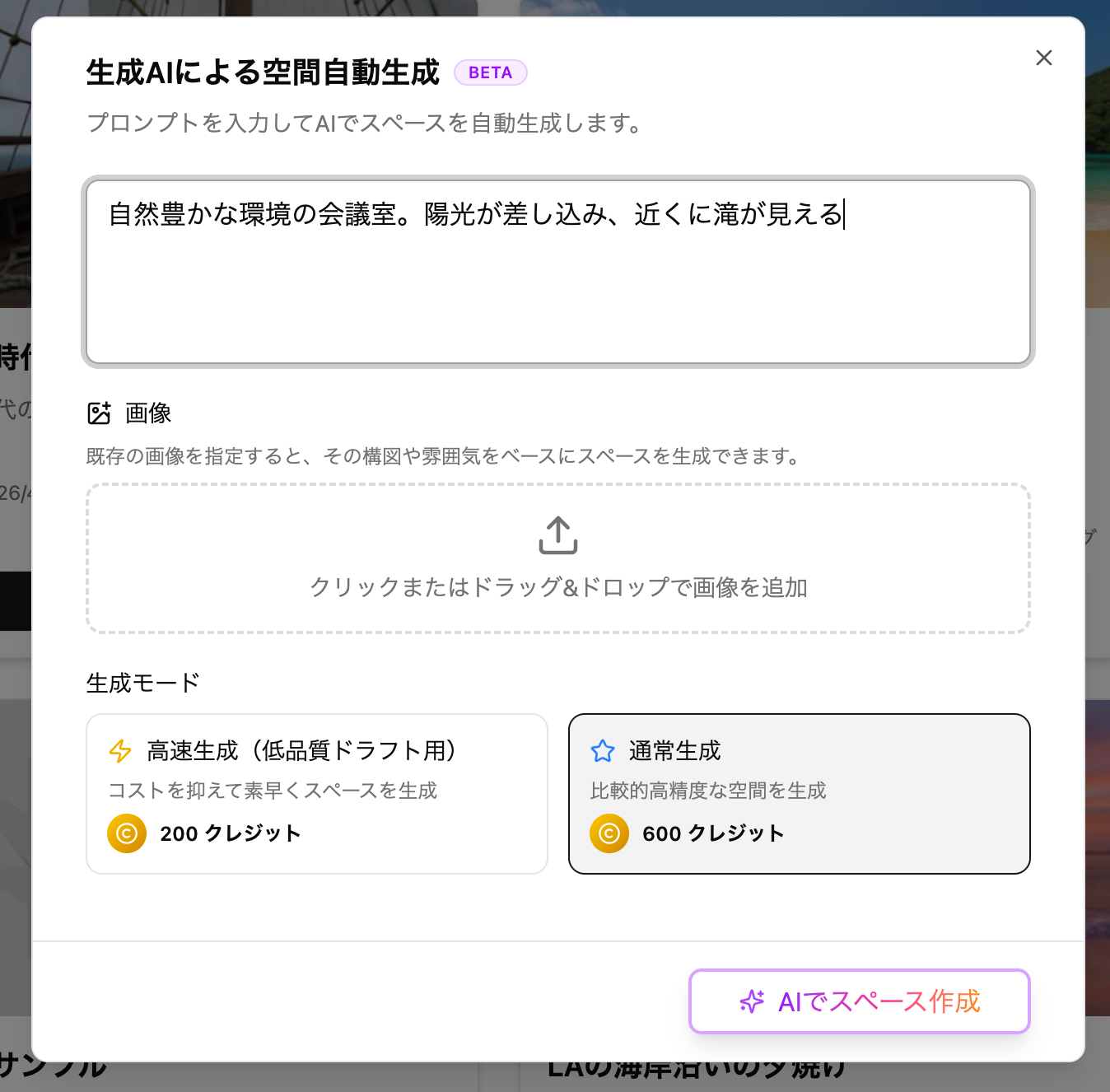
By pressing "Automatic Space Creation by Generative AI (BETA)", you can easily create a Space based on 3D Gaussian Splatting (splat) scenes generated from text or images.

TIPS

Please note that it takes some time to generate after creation execution. The time varies depending on the model and congestion, but as a guide:

  • Fast generation (for low-quality drafts) ... About 4-5 minutes
  • Normal generation ... About 7-10 minutes

When creation is complete, the edit button will be enabled and you can preview it.

TIPS

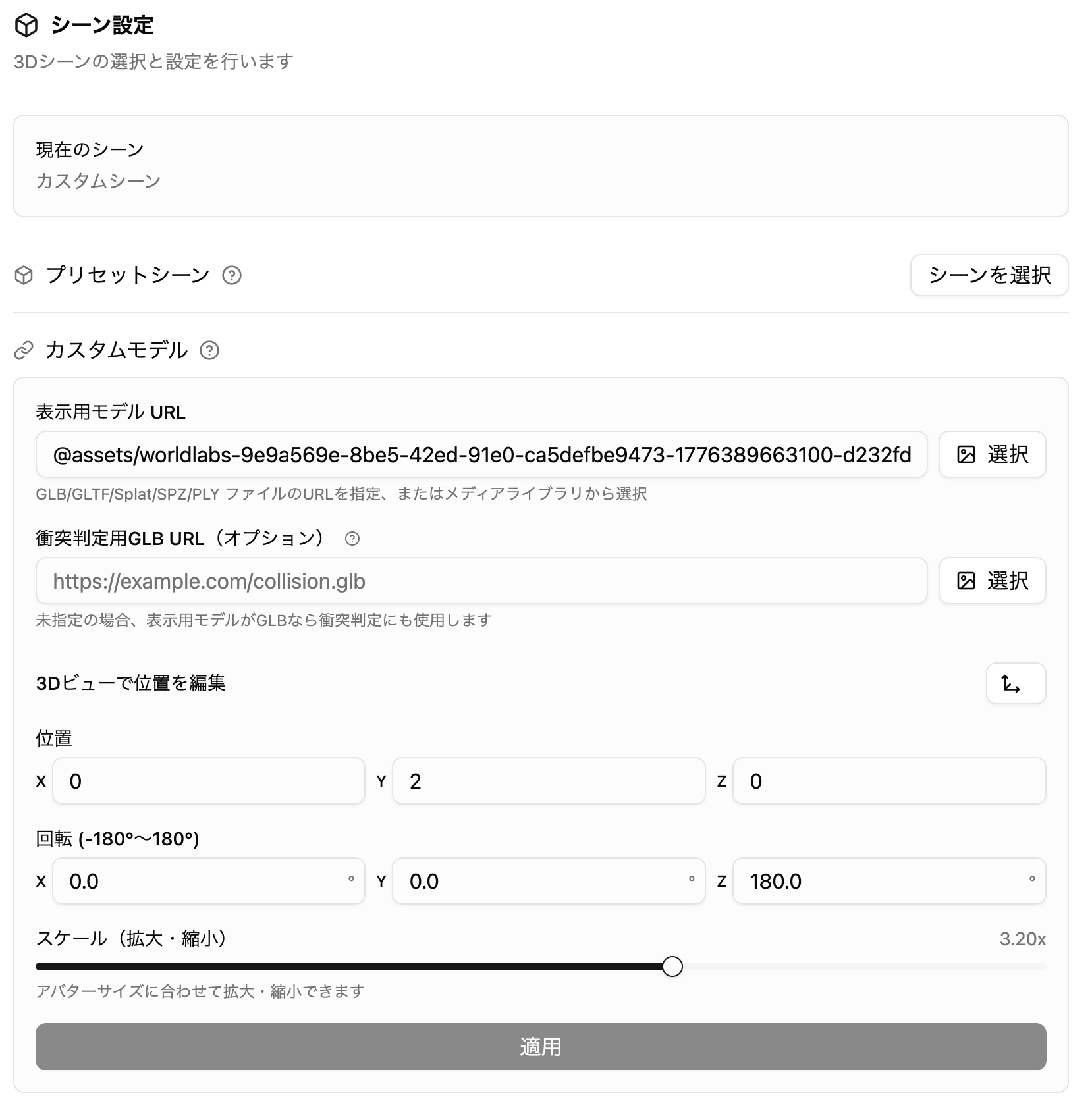
The generated splat scene can be used immediately, but the height and scale may not match the avatar. In that case, please adjust from the Advanced Settings > Scene Settings panel.

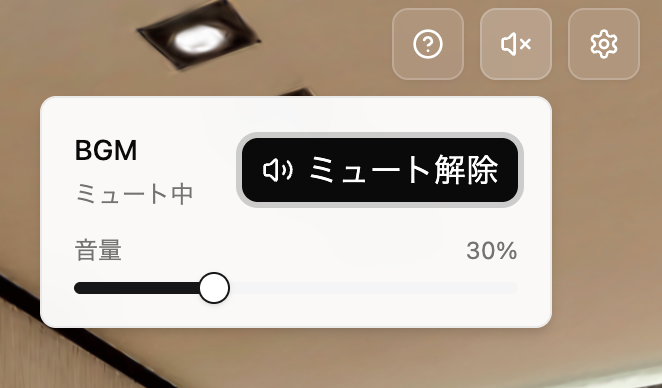
๐Ÿ”Š BGM Volume Adjustment Feature Addedโ€‹

When BGM is set for a Space, you can now adjust the volume from the speaker button in the upper right.

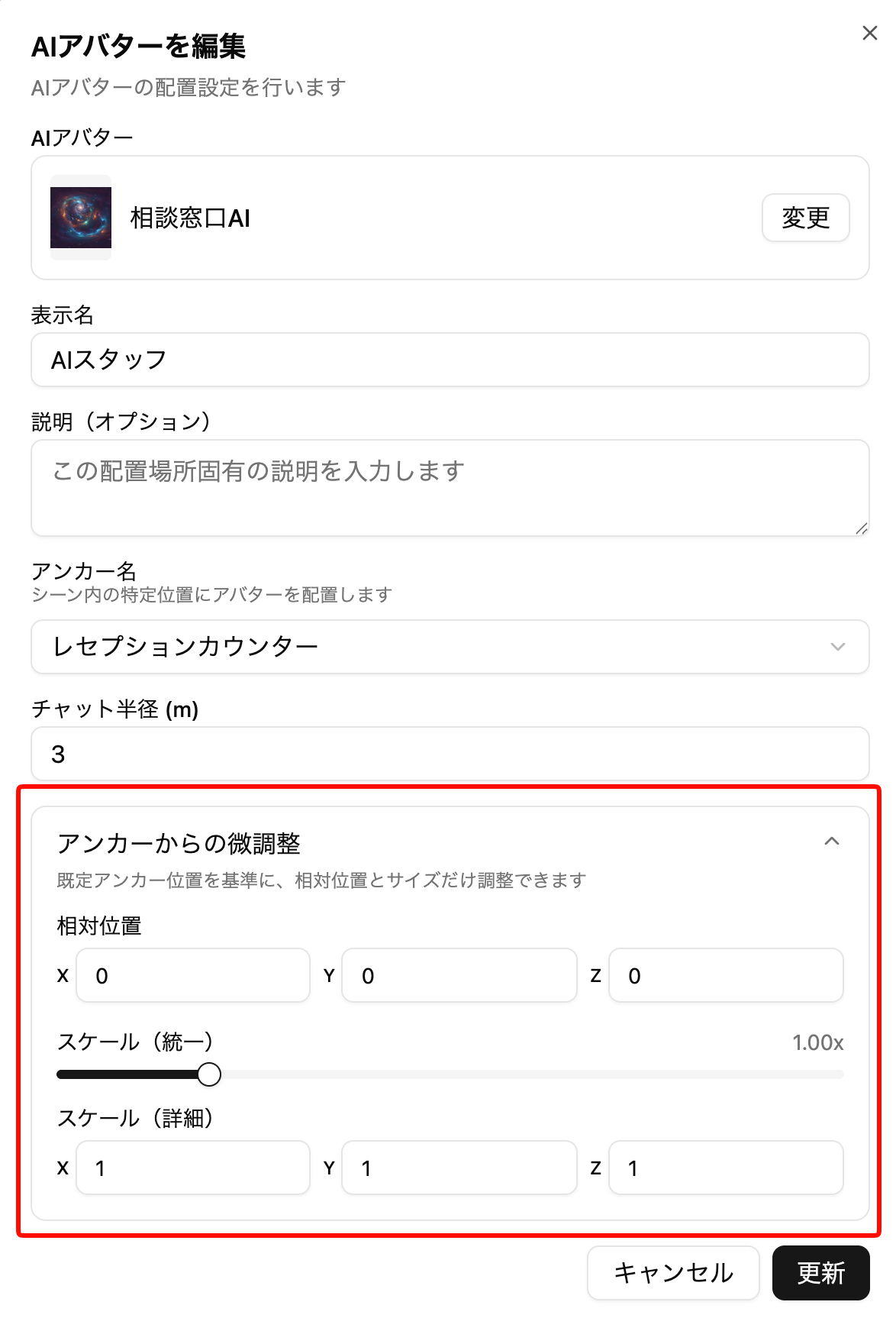
๐Ÿ“ AI Avatar, Panel, and 3D Model Feature Enhancementsโ€‹

  • You can now fine-tune positions when specifying anchors

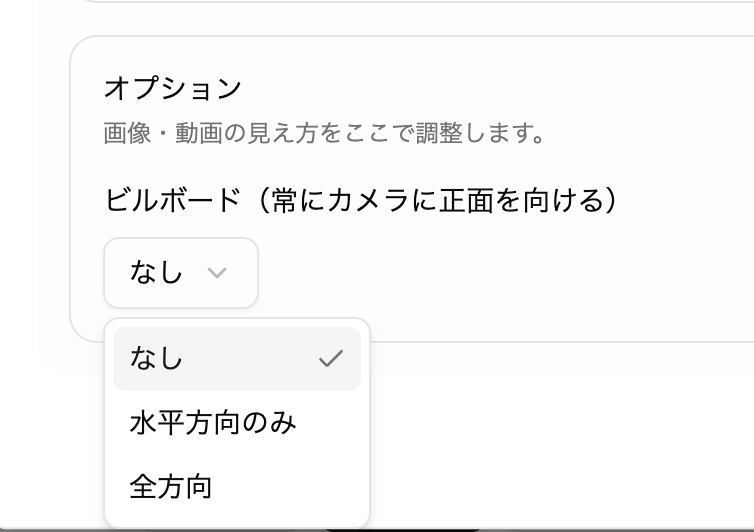
  • Billboard settings can now be configured in more detail

๐Ÿ”ง Bug Fixes/Adjustmentsโ€‹

  • Videos with transparent backgrounds now display correctly when using videos
  • Fixed an issue where VRM avatars would briefly appear in T-pose when appearing
  • Made various other minor fixes