v1.15.0

🎉 New Features
RAG/Knowledge Base Feature
The RAG feature is now available for AI Avatars.
Simply upload Word or PDF format documents, and the AI Avatar will respond based on that content.
How to Use
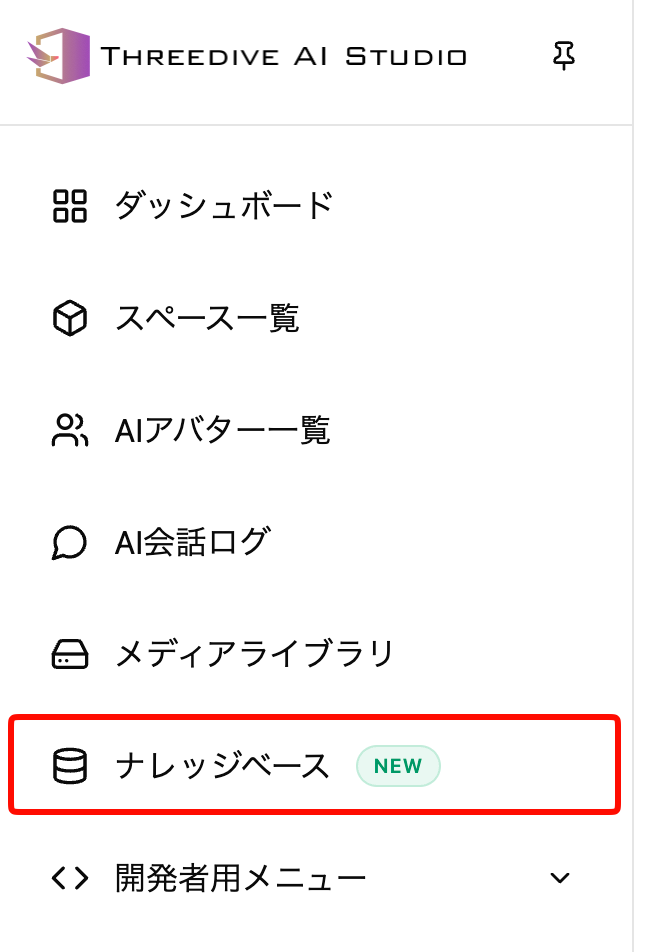
Select "Knowledge Base" from the right-side menu in Threedive AI Studio.
Create a group from New Creation.
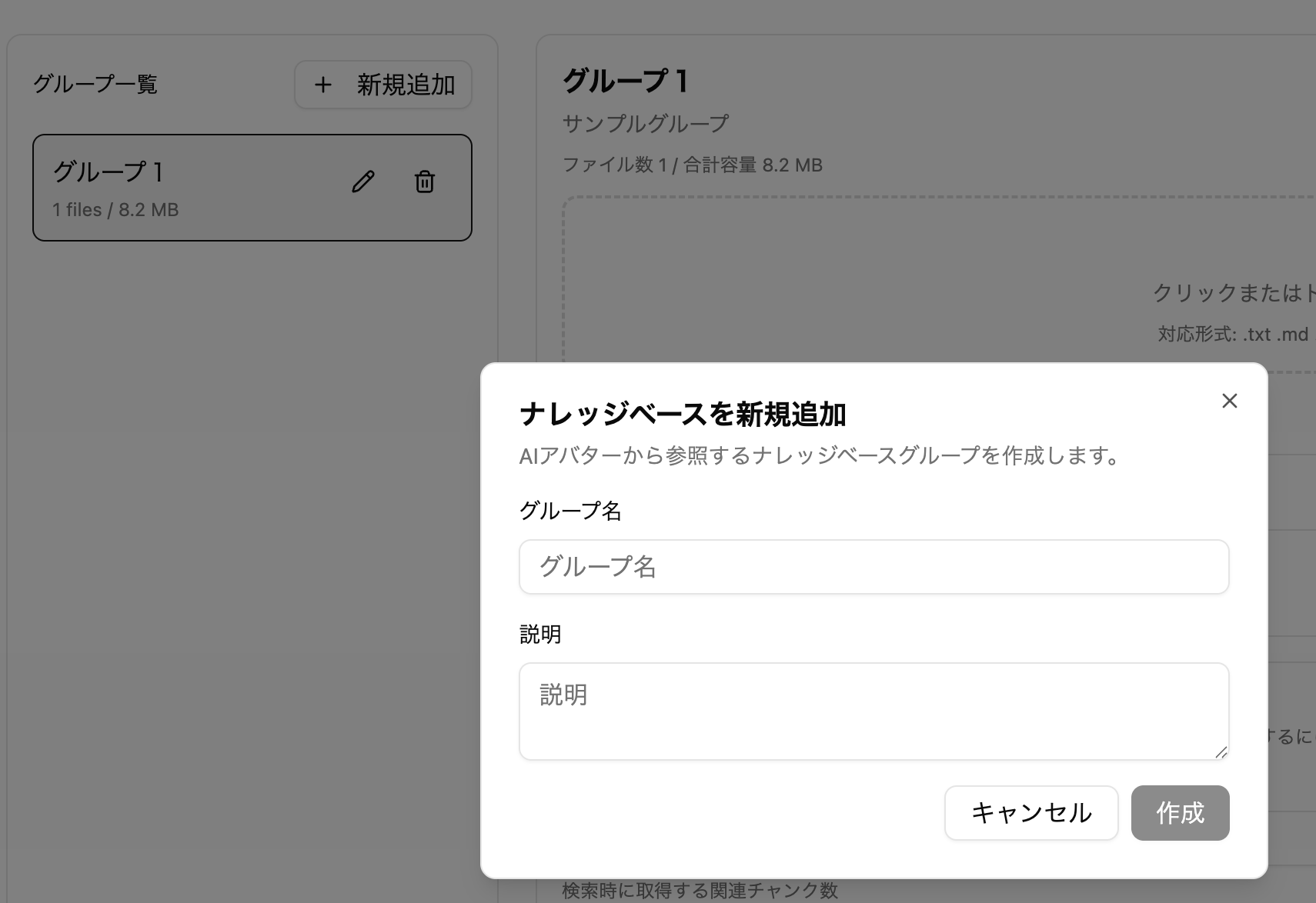
Upload document files. Uploading documents requires 200 credits.
Wait a while after uploading until it becomes available.
Navigate to the AI Avatar edit screen and select the group you just created in "Knowledge Base to use".
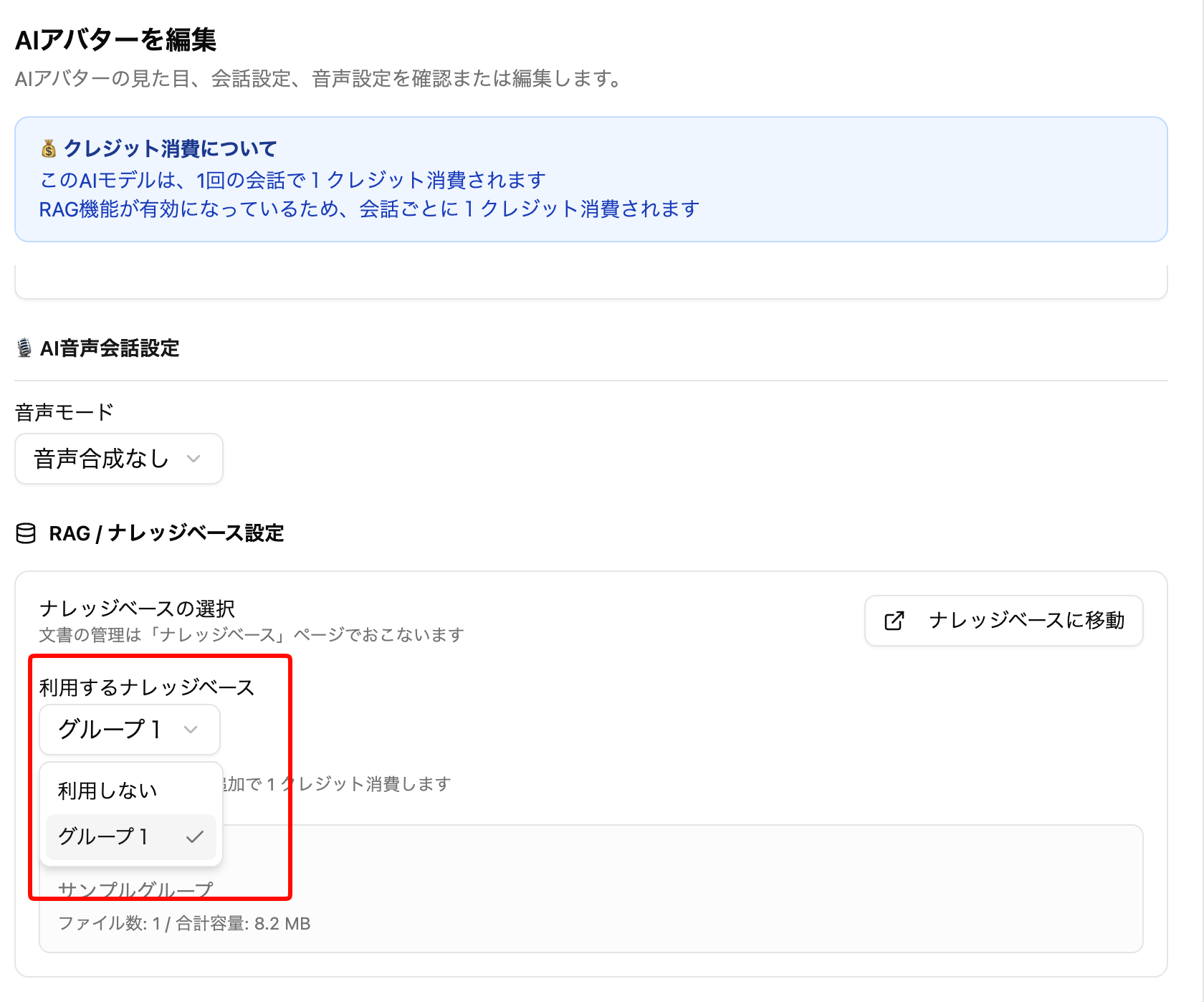
Save and you're ready. The AI will now respond based on the uploaded documents.
Language Specification for AI Chat Output
Set Edit AI Avatar > AI Text Chat Settings > Response Language to In principle use the language below. You can specify with words like "Traditional Chinese", "English", etc.
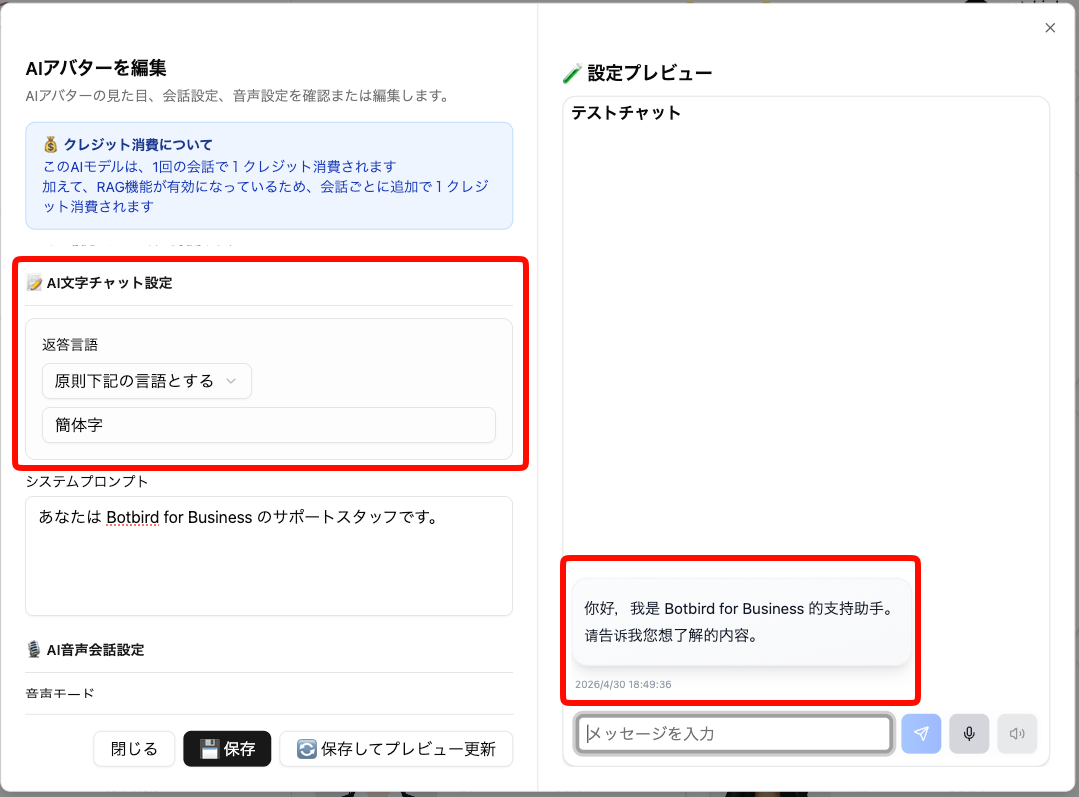
When set, the chat AI will attempt to respond in that language as much as possible.
Language Specification for AI Chat Voice Input
Set Edit AI Avatar > Speech Recognition Settings > Speech Recognition Language to Fixed (character code specification). You can specify in the format language code-country code, such as ja-JP, en-US, zh-CN, etc.
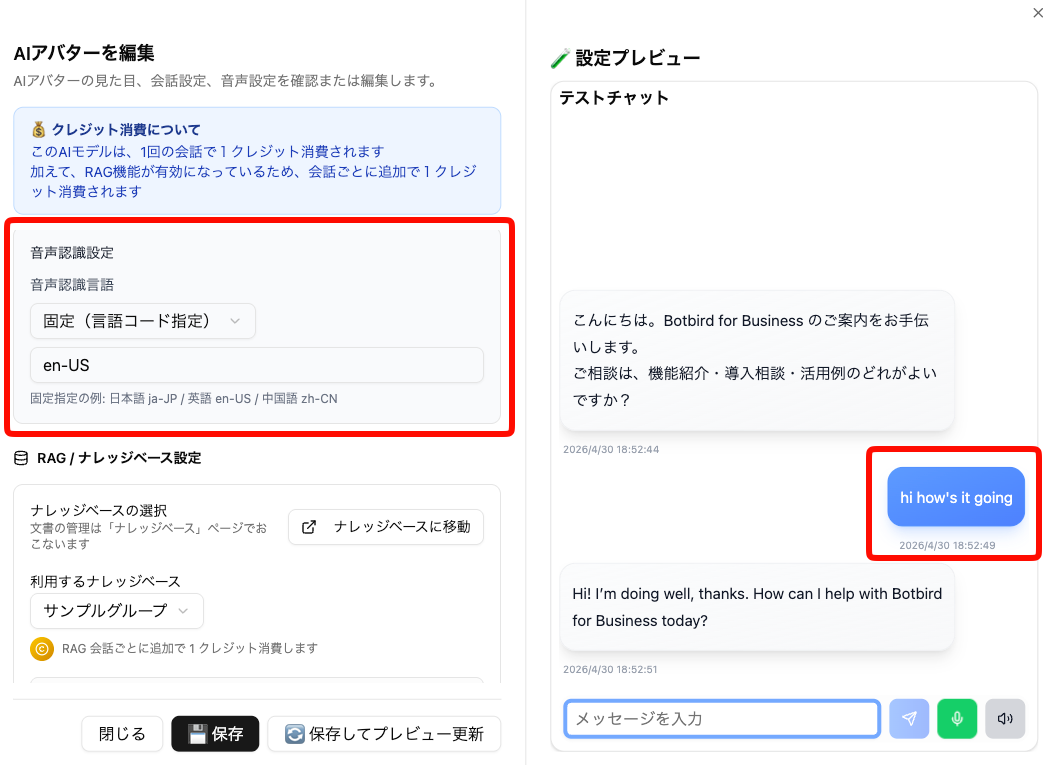
When set, voice recognition processing will be performed based on the specified language.
🔧 Adjustments and Bug Fixes
- When uploading images in "Automatic Space Generation by Generative AI", you can now set whether the image is a "panorama image"
- Please use only for 360-degree panorama images (Equirectangular format) with a 1:2 aspect ratio horizontal image
- Characters no longer run when moving with the left stick during touch operations on smartphones, etc.
- Fixed an issue where uploading images over 6MB in "Automatic Space Creation by Generative AI (BETA)" would fail