v1.16.0
· One min read

🎉 New Features
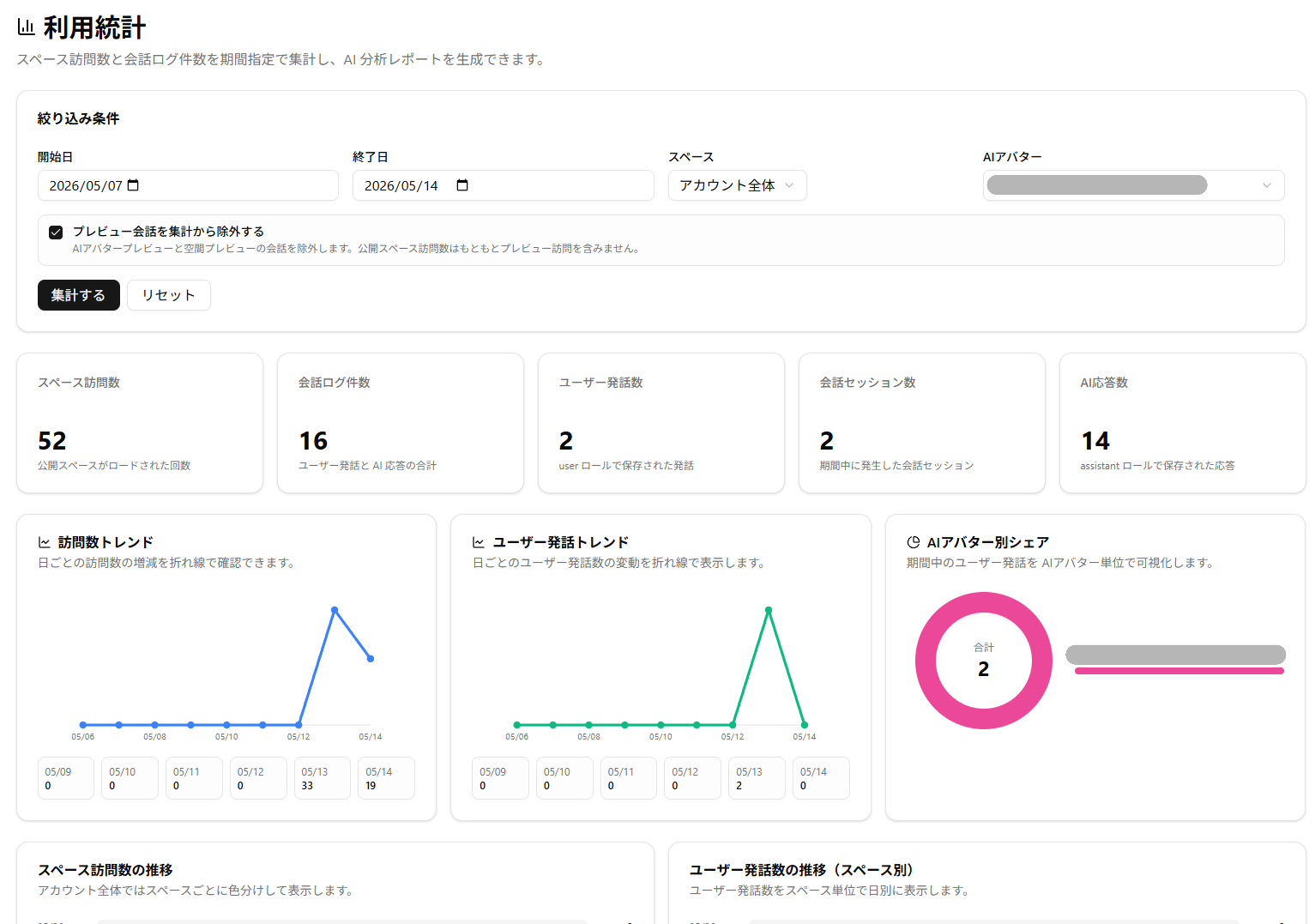
Usage Statistics Feature Added
- You can now check Space and AI Avatar usage in Threedive AI Studio
- Using the AI Analysis Report Creation feature, you can analyze visit counts and conversation logs for a specified period with generative AI and create a report (credits required)
AI Conversation Log Feature Enhancement
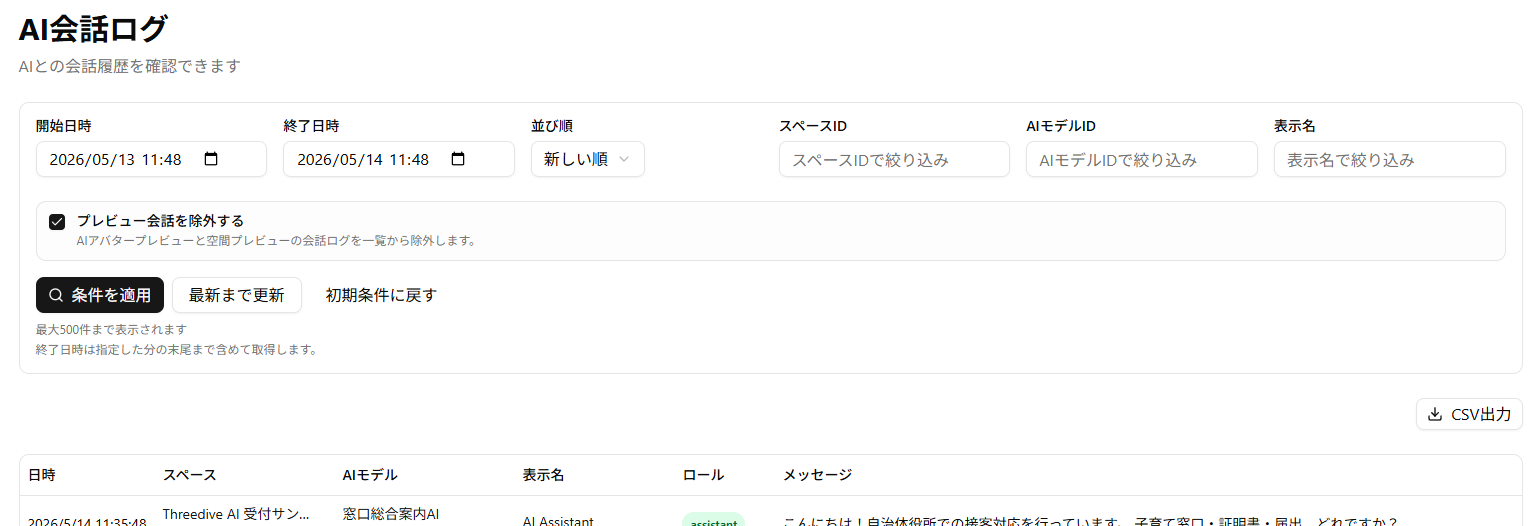
- Enhanced filtering conditions
- Added "Display Name" column
- Contains the display name that users set in the Space screen settings dialog
- Please note that logs saved before this update contain the Threedive AI Studio username instead of the display name
- Added CSV export
AI Avatar
- Upgraded the internal model for Realtime TTS. You can now enjoy higher quality voice conversations
🔧 Adjustments and Bug Fixes
- Fixed an issue where AI conversation logs would only display up to 100 entries
- Reduced the rendering load of 3DGS scenes
- Added "Rendering Settings" > "Enable Anti-aliasing" to the Space screen settings dialog
- Default is off
- Enabling anti-aliasing will make the display look cleaner, but may increase the load when rendering 3DGS (Splat)