v1.17.12

🎉 New Features and Enhancements
🎙️ Speech Recognition Language Can Now Be Selected from a List
The specification of speech recognition language, which previously required direct input of language codes, can now be selected from a searchable list. You can also select multiple languages.
How to Use
You can select the speech recognition language from "Speech Recognition Settings" in the AI Avatar settings screen.
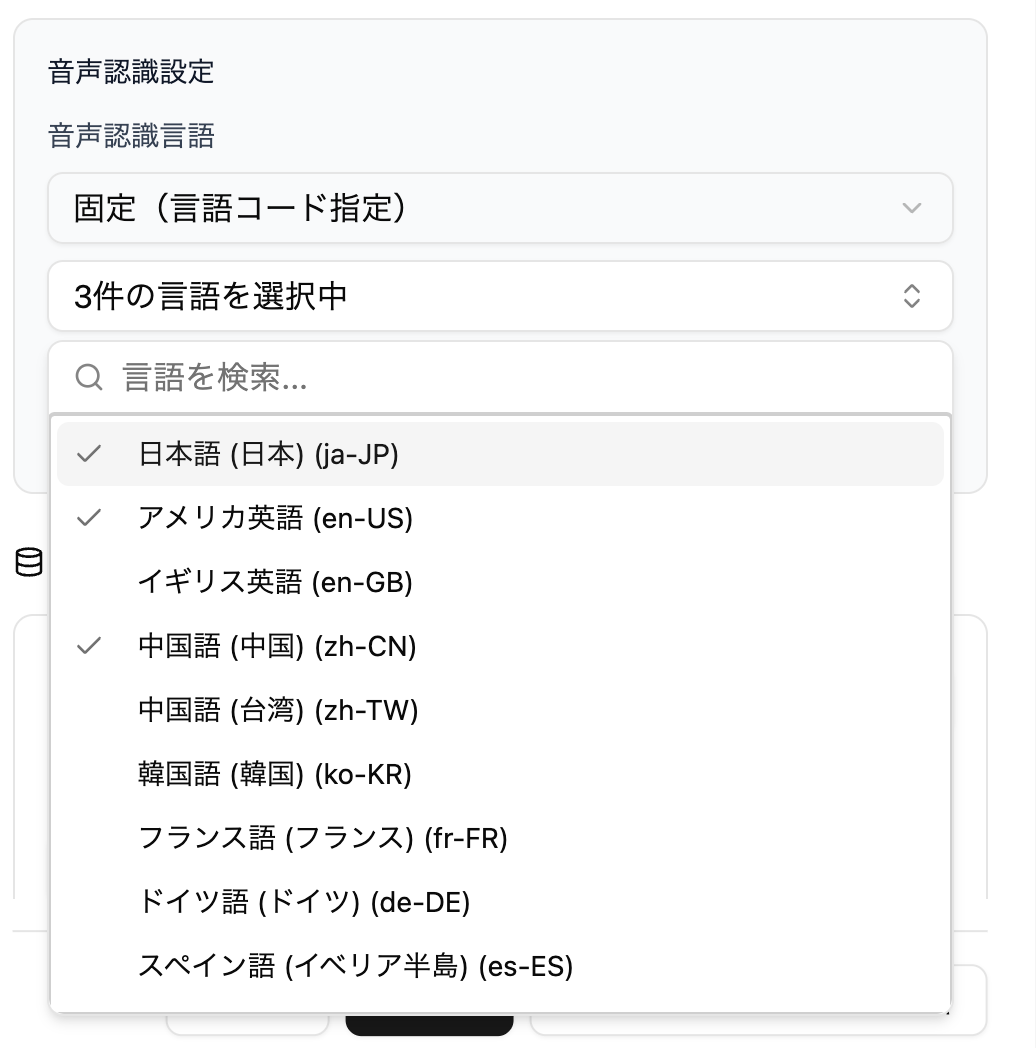
Also, if you select multiple languages, you can switch the speech recognition language from the toolbar menu during normal voice conversation.
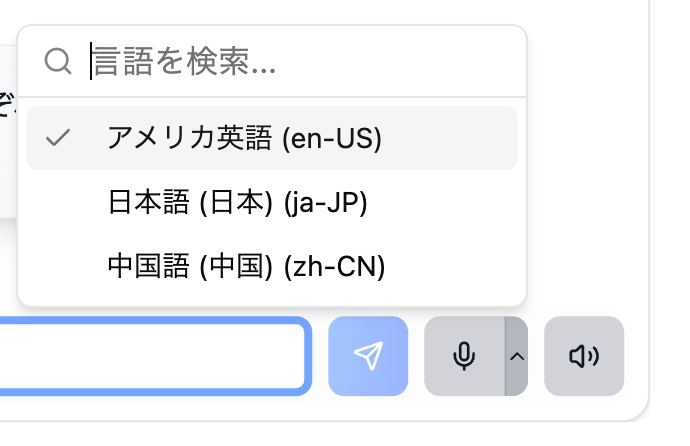
Recognizable languages differ depending on your usage environment (browser/OS), so selected languages may not work in all environments.
🗨️ Reviewed User-Side Transcription Display in Realtime Voice
In realtime voice conversations, user (your own) speech transcription bubbles are now hidden by default. This is a measure against the problem of text different from actual speech being displayed due to misrecognition or noise.
AI Avatar speech transcriptions will continue to be displayed as before.
How to Use
You can toggle the user-side transcription display ON/OFF from the Realtime settings in the AI Avatar settings screen.
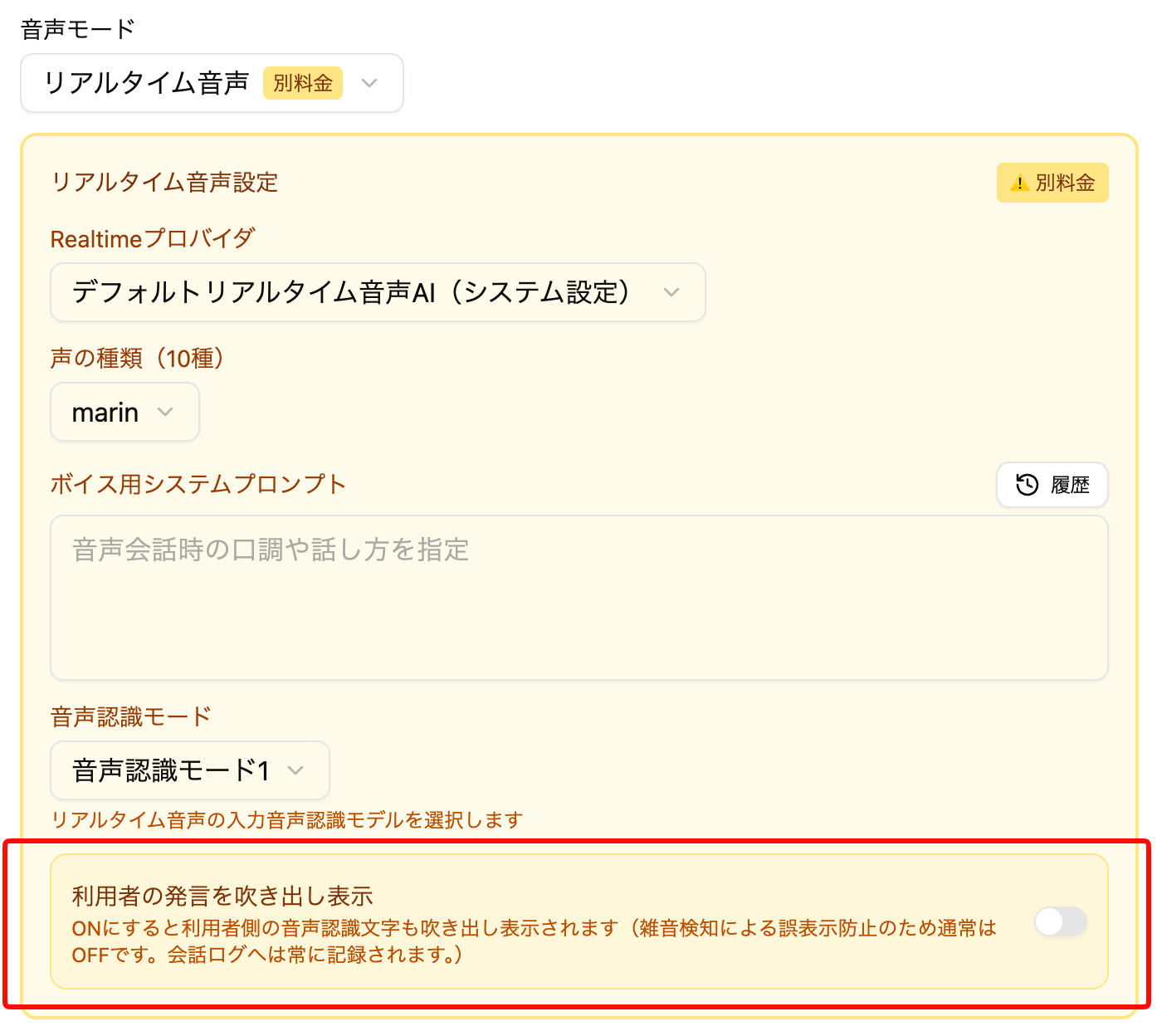
Already created AI Avatars will continue to display user-side transcriptions as before. For newly created AI Avatars, they will be hidden by default.
🔧 Other Adjustments
- Made adjustments to AI Avatar thinking logic