v1.17.6
· One min read

🎉 New Features
"Speech Recognition Language" Setting Added
Until now, the recognition language when performing voice input in Threedive AI was automatically determined by your browser's language settings (*unless explicitly specified in the AI Avatar). Therefore, when the language you actually speak and the browser language are different, speech might not be recognized properly.
With this update, Space users can now select and set their own spoken language. The configured content is saved and will continue to be used in the future.
You can configure it with the following operations.
- Open the settings dialog from the gear ⚙ icon in the upper right corner of the 3D screen
- Select the language to use in "Speech Recognition Language"
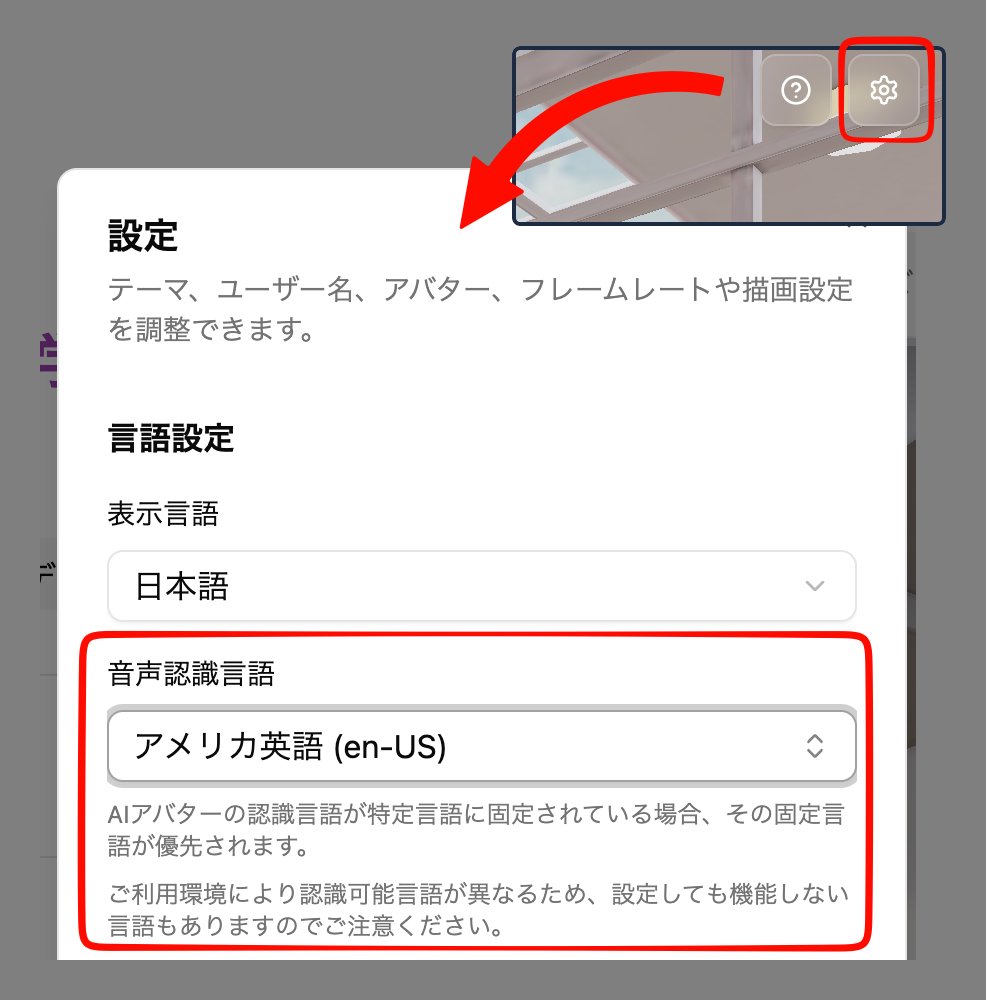
Please note the following points when configuring:
- If the AI Avatar's recognition language is fixed to a specific language, that fixed language takes priority.
- Please note that recognizable languages differ depending on your usage environment, so some languages may not function even if configured.